Technical introduction
Dashboard
Languages & Translations
Pages
Blocks
Menus
Content
Libraries sections
MemSource Integration
Log actions
Configurations
Form requests
Form contact
AB service
Travel Policy Builder
Mouseflow
AB Tracking Goals
Intro
This section in admin panel consists of AB Tracking Goals.
Admin user can create AB Tracking Goals configuration and then system will track user clicks on item (it can be class name (detect all clicks by class name) or url (detect all clicks on link. where url equal value)).
Results used for base AB service.
AB SMARTLY ENDPOINT: https://serko.absmartly.io/v1
AB Tracking Goals list
The table in this section contains the following columns:
- ID: The unique identifier for the tracking goal.
- Type: Specifies whether the goal tracks a Button click (URL) or Button click (Class).
- Value: The URL or class name being tracked (depends on the selected type).
- Environment: Specifies the environment (e.g., production) in which the event is tracked and sent to the AB service.
- Goal Name: The name of the goal, which is sent to the AB service when the event is triggered.
- Actions: Available actions for each goal.
Available Actions
The following actions can be performed on the AB Tracking Goals:
- Active / Bin Switcher: Move a goal to the bin, restore it, or permanently delete it from the bin.
- Create New Entity: Add a new AB Tracking Goal.
- Edit Existing Entity: Modify an existing AB Tracking Goal.
- Move to Bin: Temporarily remove a goal.
- Restore Entity: Bring a goal back from the bin.
- Delete Entity: Permanently remove a goal from the bin.

Create new AB Tracking Goal
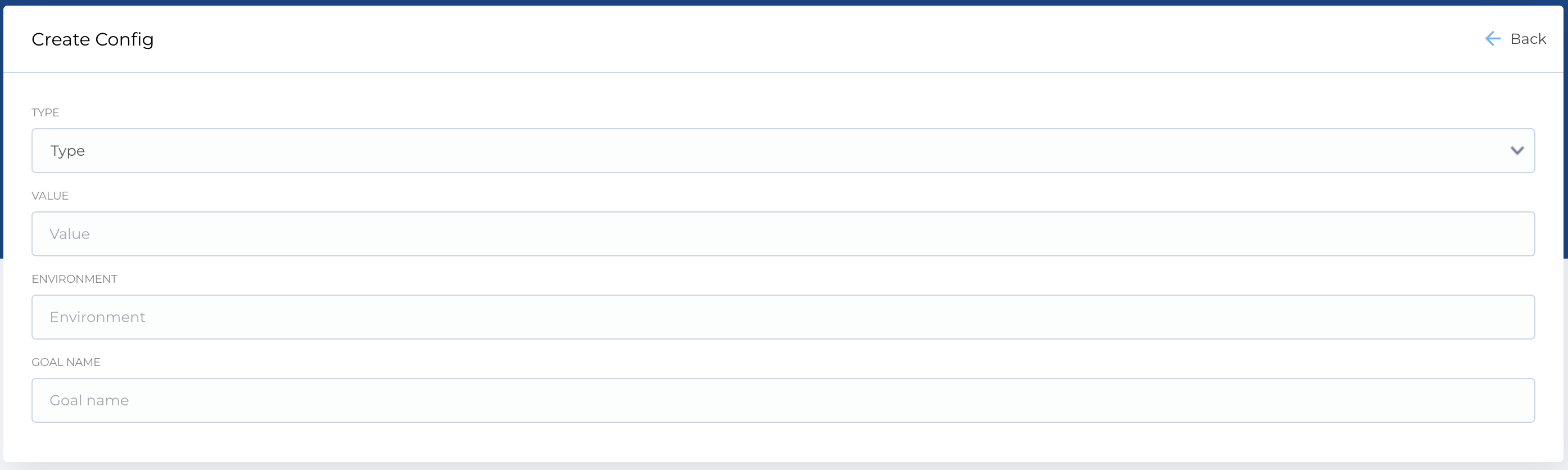
To create a new AB Tracking Goal, use the Create New AB Tracking Goal form, which contains the following fields:
-
Type: A dropdown with the following options:
- Button click (URL): Track clicks on a specific URL.
- Button click (Class): Track clicks based on a class name.
- Value: The URL or class name to track.
- Environment: The environment where the tracking is to occur (e.g., production).
- Goal Name: The name of the goal that will be sent to the AB service.
Required Fields
- Type
- Value
- Environment
- Goal Name
The Edit form is identical to the Create New form and allows you to modify the details of an existing AB Tracking Goal.