Technical introduction
Dashboard
Languages & Translations
Pages
Blocks
Menus
Content
Libraries sections
MemSource Integration
Log actions
Configurations
Form requests
Form contact
AB service
Travel Policy Builder
Mouseflow
Feature tables
Intro
The Feature Tables section in the admin panel contains a list of feature tables. Each table consists of multiple items, and the feature tables are used in the Feature Table block. In the block configuration, you can select one table, and all items from the chosen feature table will be displayed in that block.
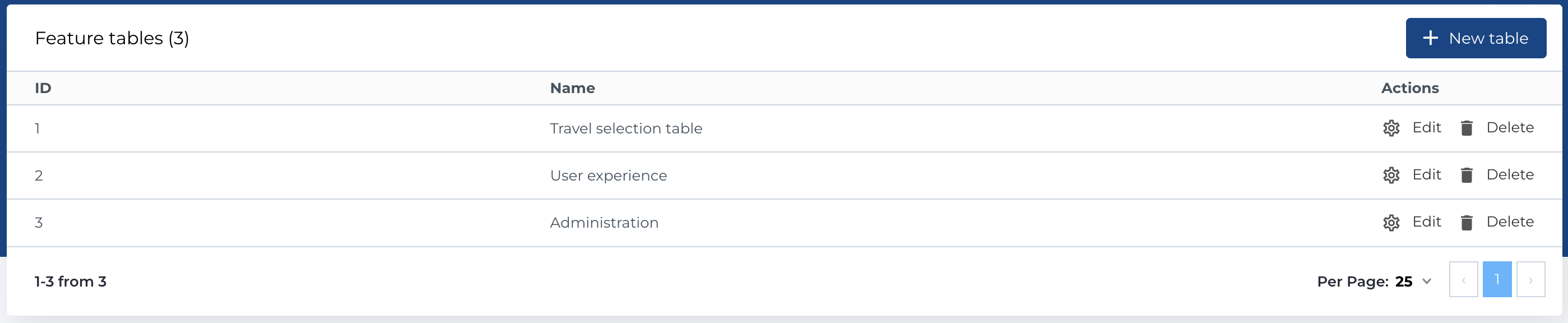
Feature table list
This section displays a list of all available feature tables with such columns:
- ID: Unique identifier of the feature table.
- Name: The name of the feature table.
- Actions: Management buttons for the feature table entry.
Available Actions:
- Create New Entity: Open the form to add a new feature table.
- Edit Existing Entity: Modify an existing feature table.
- Delete Entity: Permanently delete a feature table.
Create new feature table
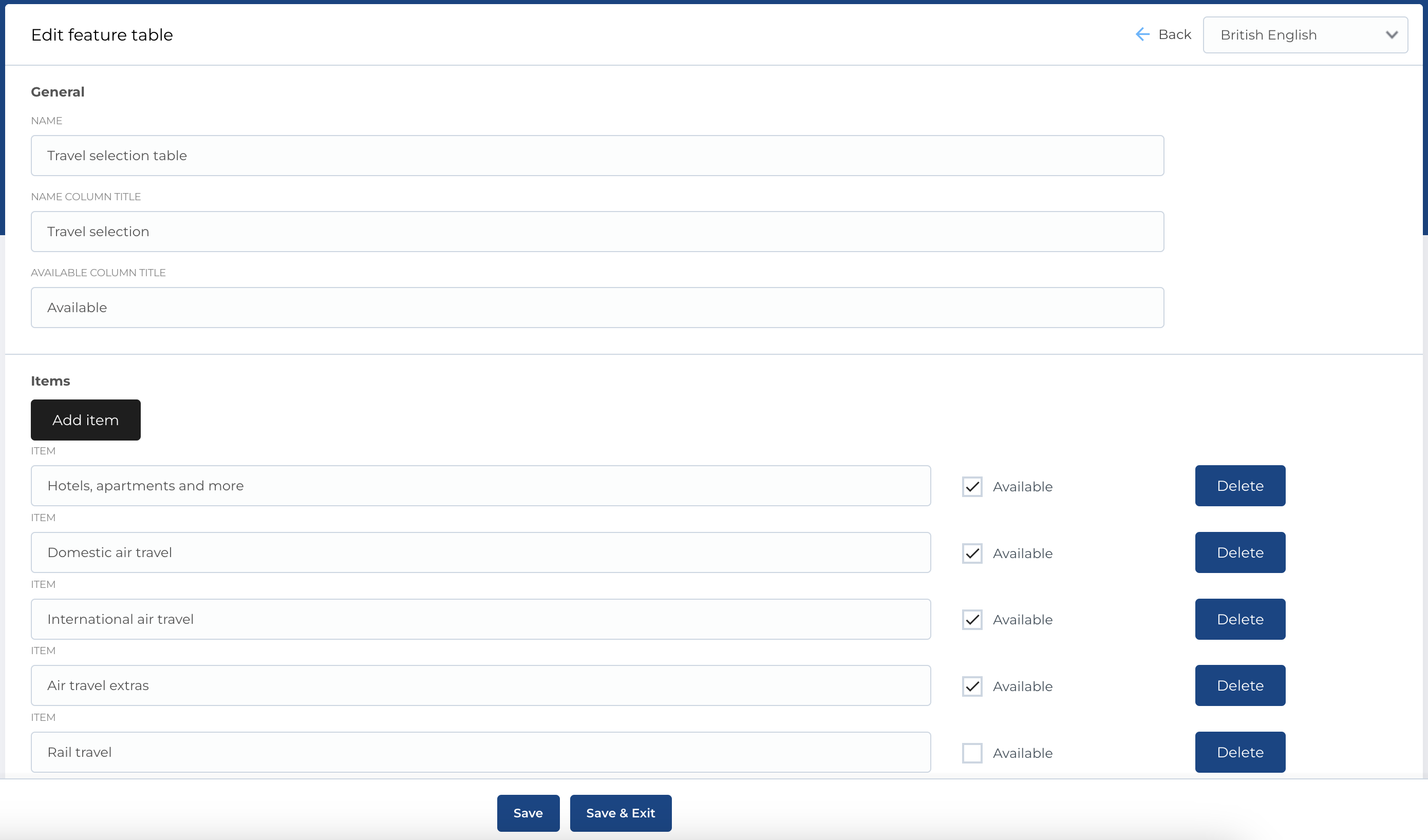
When creating a new feature table, you can fill next fields:
- Name: The name of the feature table.
- Name Column Title: The title for the name column in the table (this will appear in the frontend).
- Available Column Title: The title for the availability column (this will appear in the frontend).
- Items: A list of items to be included in the table.
For Each Item:
- Item (Title): The name or title of the feature.
- Available (Checkbox): Checkbox to indicate whether the feature is available.
- Delete Button: Button to remove the item from the list.
Required Fields:
- Name: This field is required to create a feature table.
The form for editing a feature table is the same as the creation form. All fields, including the list of items, are available for modification.