Menu types
Intro
The menu configuration is a dev-based one, where we configured all the necessary menus to be used in the CMS.
In our case we are using several menus:
- Top
- Top buttons
- Footer terms menu
- Footer 1
- Footer 2
- Footer 3
- Footer 4
Each menu can be one of next types:
- Top
- Top buttons
- Footer
Top menu type
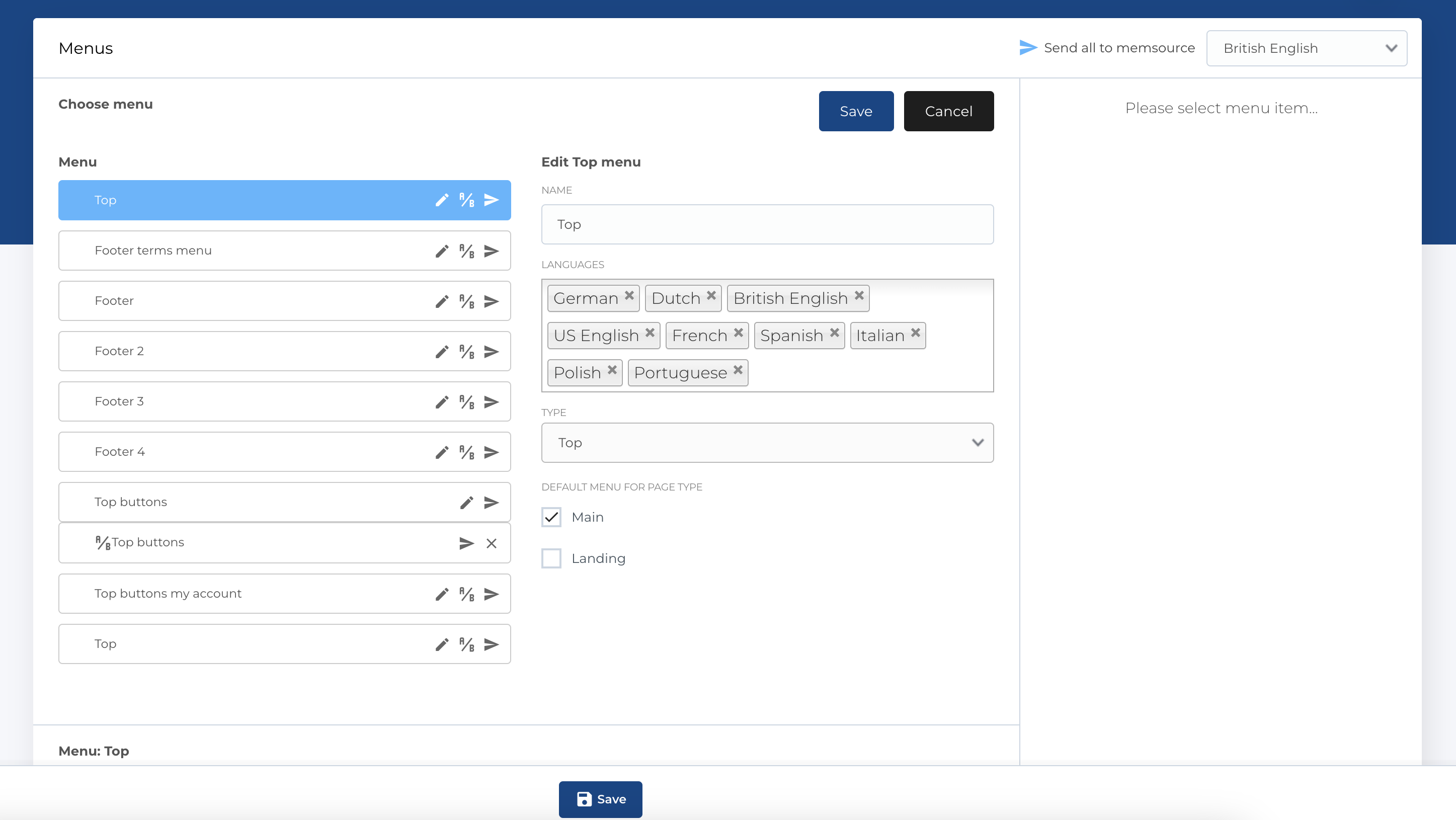
The top menu type can be selected in page edit form that will appear on this page at the top. Aslo menu can be marked as default for some type of pages:
- Main
- Landing
"Landing" means that menu will be displayed on landing page, if no custom menu selected for this page. In other words this menu will be default for landing pages. This configuration available in menu edit form
"Main" used for all other pages.
Top buttons type
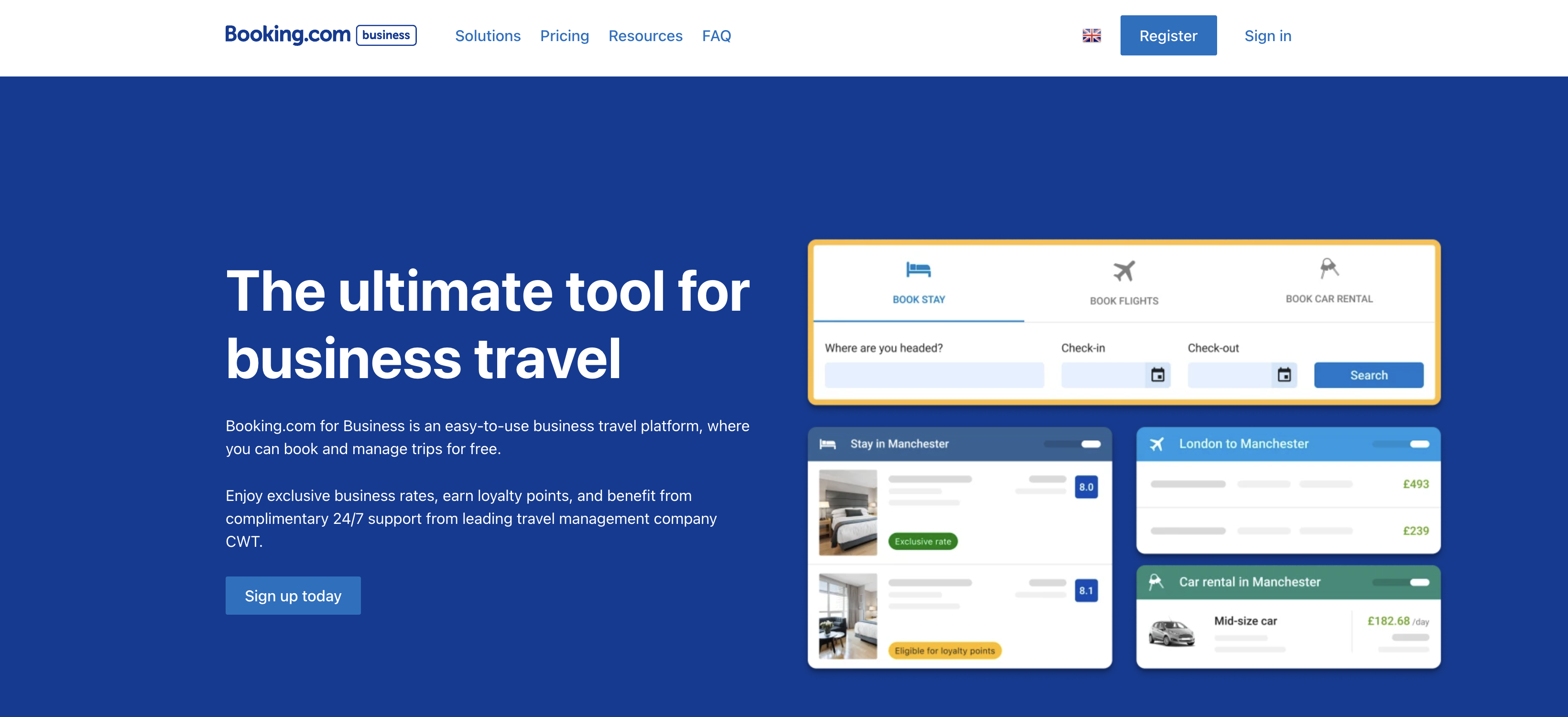
Top buttons type menu can be displayed in header of the page, in right corner, after language picker.
It has the same functions as the "Top" type, so can be setted as default for pages (landing and others), also can be selected as custom for page.

Footer menu type
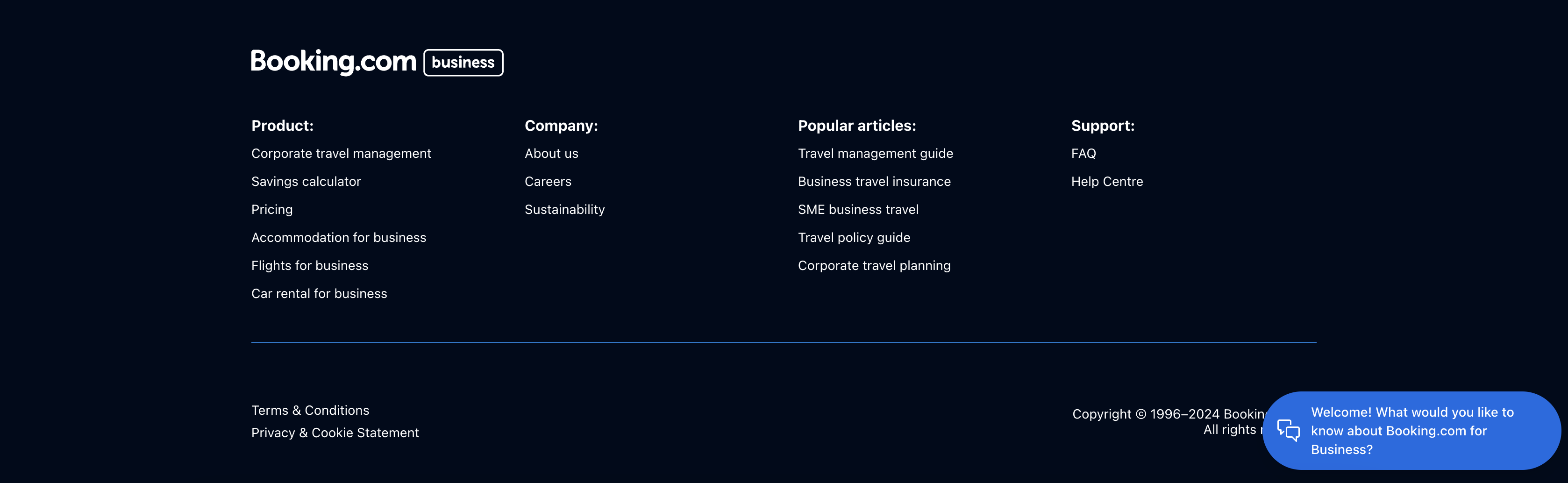
All footer menus has type "Footer". You can't select other menus for footer, they are predefined. Footer section is composed out of 5 menu items:
- Footer 1
- Footer 2
- Footer 3
- Footer 4
- Footer terms
First 4 items are the 4 columns featuring multiple links from our sitemap. The Footer terms is the bottom line of Terms and Conditions + Privacy and Cookie Statement links.