Technical introduction
Dashboard
Languages & Translations
Pages
Blocks
Menus
Content
Libraries sections
MemSource Integration
Log actions
Configurations
Form requests
Form contact
AB service
Travel Policy Builder
Mouseflow
Plans
Intro
This section in admin panel consists of plans list.
Plans used in predefined static page Pricing - if plans exist, they will be listed on this page (for now this page is archived, therefore, these plans are not displayed anywhere on the site).
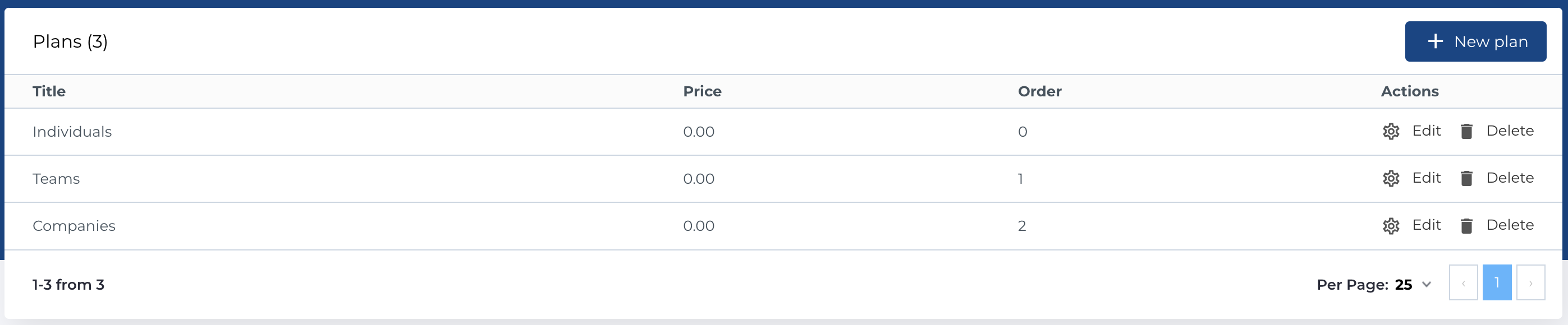
Plans list
The Plans List section includes the following columns:
- Title: The title of the plan.
- Price: The price of the plan.
- Order: The display order of the plan.
- Actions: Available actions for each plan.
Available Actions
The following actions can be performed on the plans:
- Create New Entity: Add a new plan to the list.
- Edit Existing Entity: Modify an existing plan.
- Delete Entity: Permanently remove a plan from the list.
Create new plan
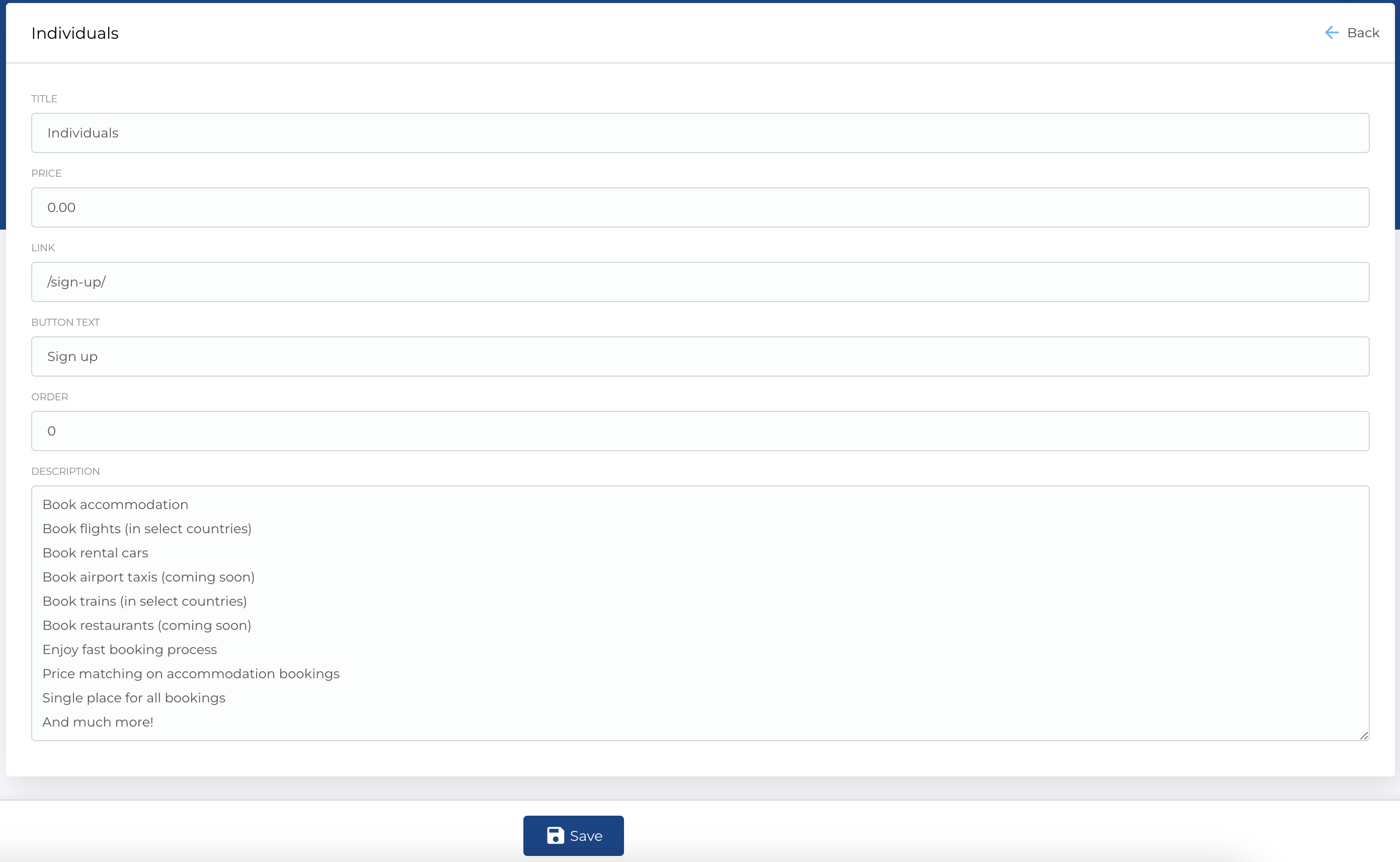
To create a new plan, use the Create New Plan form, which contains the following fields:
- Title: The name of the plan.
- Price: The price of the plan.
- Link: A URL associated with the plan.
- Button Text: The text for the button associated with the plan.
- Order: The order in which the plan will be displayed.
- Description: A brief description of the plan.
Required Fields
- Title
The Edit Plan form is identical to the Create New Plan form and allows you to modify the details of an existing plan.