MemSource projects and jobs
Intro
This section in admin panel consists of MemSource projects. When user sent anything to MemSource service, this service creates project and project jobs. In this section we can see if entity was sent to MemSource (project was created and status is sent) and if project was completed (status is completed).
Also we can check project per job - smaller parts of project, created by MemSource for each Workflow step and Locale. This job has status, so we can check if this part of project is completed or not.
Projects list
The table includes the following columns:
- ID: The unique identifier for the project.
- Sent At: The date when the project was sent to MemSource.
- UID: The unique identifier generated by MemSource for the project.
- Entry: Specifies what was sent to MemSource (e.g., page, menu, translations).
- Status: The current status of the project (e.g., sent or completed).
- User: The admin user who sent the entity to MemSource.
- Actions: Available actions for each project.
Available Actions
The following actions are available for managing MemSource projects:
-
Filter: A dropdown with options to filter by:
- Pages
- Menus
- Search: Search for projects by their UID.
- Clear Filter: Resets all applied filters.
- View Existing Entity: View detailed information for an individual project.

View project
View project page contains main information as in table and list of project jobs (same table as discribed below).

Project jobs list
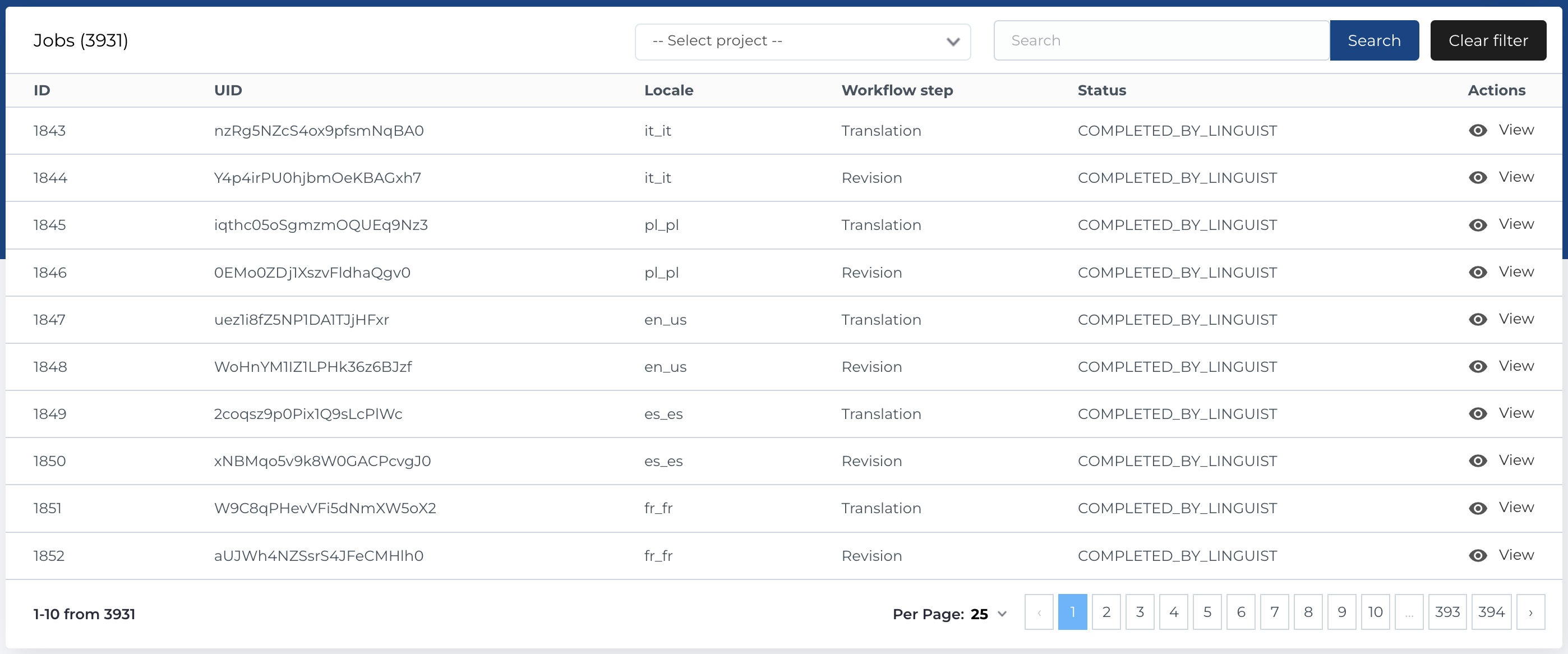
The Project Jobs section contains a list of jobs associated with a specific project. The table includes the following columns:
- ID: The unique identifier for the job.
- UID: The job's unique identifier, generated by MemSource.
- Locale: The language locale for the job.
- Workflow Step: The current workflow step, as reported by MemSource.
- Status: The status of the job, as reported by MemSource.
- Actions: Available actions for each job.
Available Actions for Project Jobs
- Filter by Project: A dropdown to filter jobs by project UID.
- Search: Search for jobs by Job UID.
- Clear Filter: Resets the job filters.
- View Existing Entity: View detailed information for an individual job.
View project job
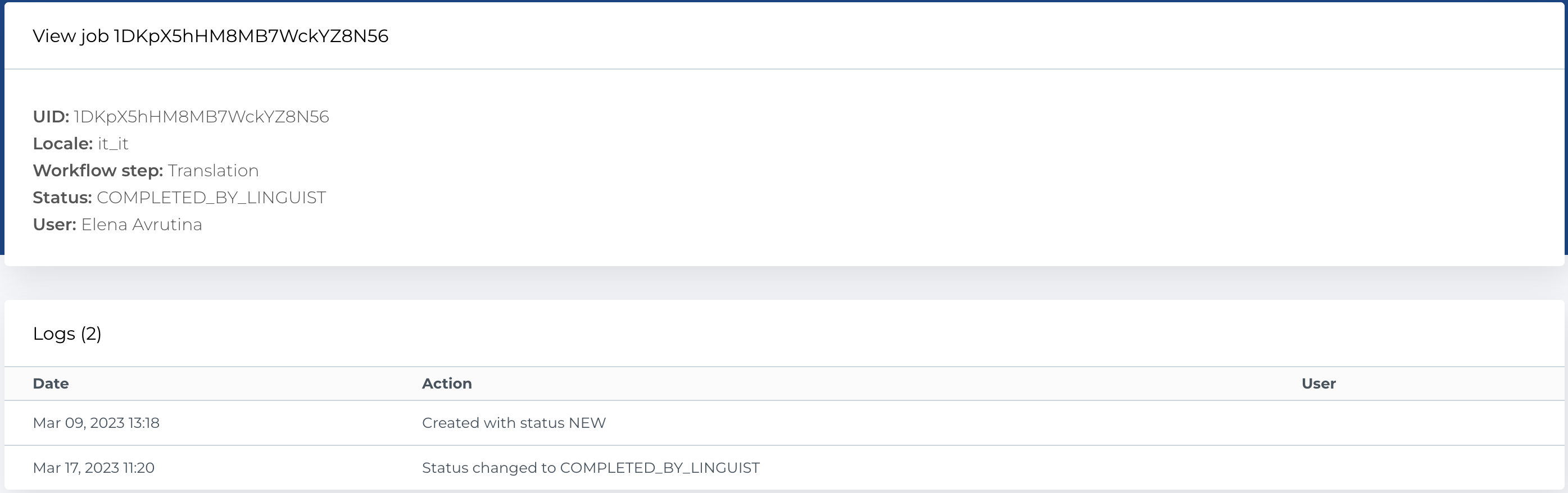
View project job page contains main information as in table and list of logs. When user send entity to MemSource, system creates log that job was created and job status. When MemSource send webhook request to CMS, system creates log if job status was changed.