
Countries
Intro
The Countries section in the admin panel handles configurations related to geo-location and country-based limitations for the entire website. This section is divided into three parts:
- Countries: General list of countries.
- Country Lists: Grouped lists of countries.
- Signup Links: Links configured based on country codes.
Countries
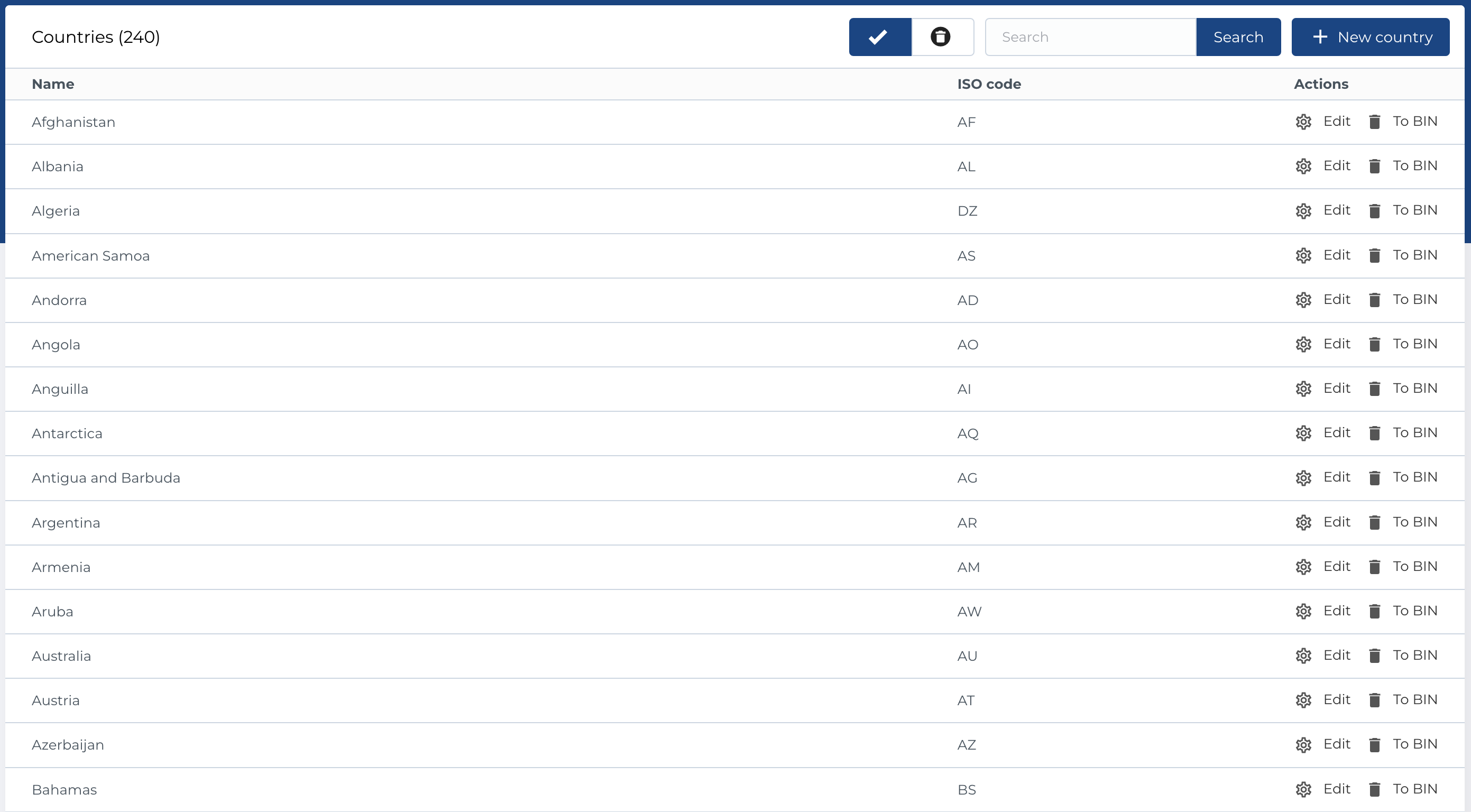
This is the general list of countries and their mapping to country codes used by the geo-location services integrated into the website.
Table Columns
- Name: The name of the country.
- ISO Code: The country's ISO code.
- Actions: Manage country settings.
Available Actions
- Active / Bin Switcher: Move a country to the bin or restore it, with the option to permanently delete.
- Search: Search by name or ISO code.
- Create New Entity: Add a new country.
- Edit Existing Entity: Modify country details.
- Move to Bin: Temporarily remove a country.
- Restore Entity: Reinstate a country from the bin.
- Delete Entity: Permanently delete a country (only available in the bin section).
Create new country
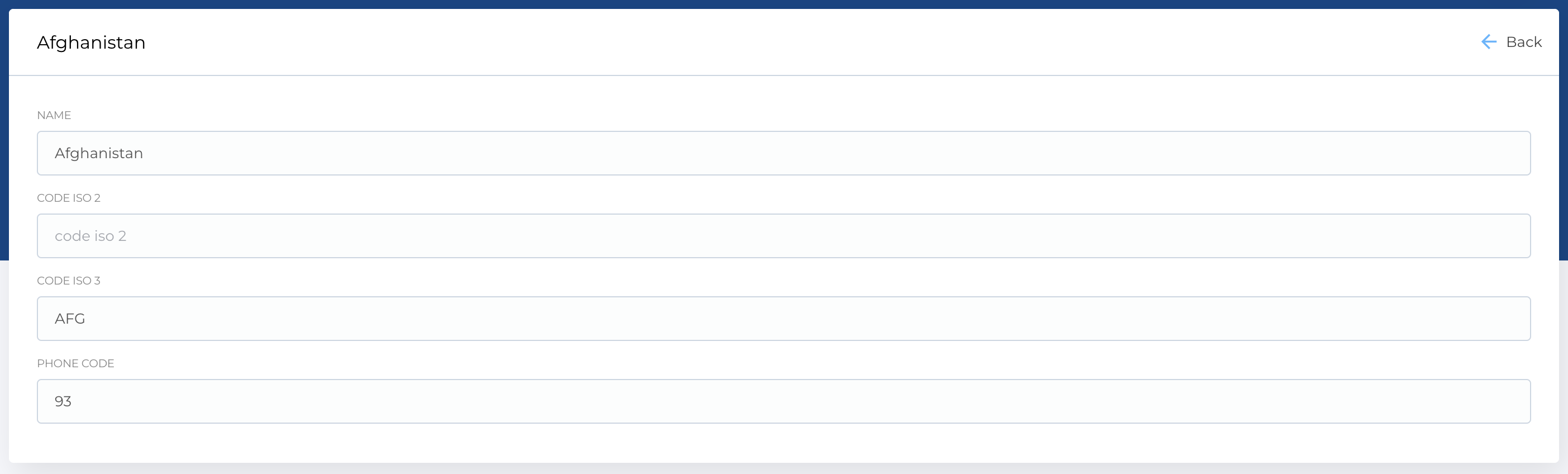
The form for creating a new country contains the following fields:
- Name: Country name.
- ISO Code 2: Two-letter ISO country code.
- ISO Code 3: Three-letter ISO country code.
- Phone Code: International phone code.
Required Fields
- Name
- ISO Code 2
The edit form has the same structure.
Country lists
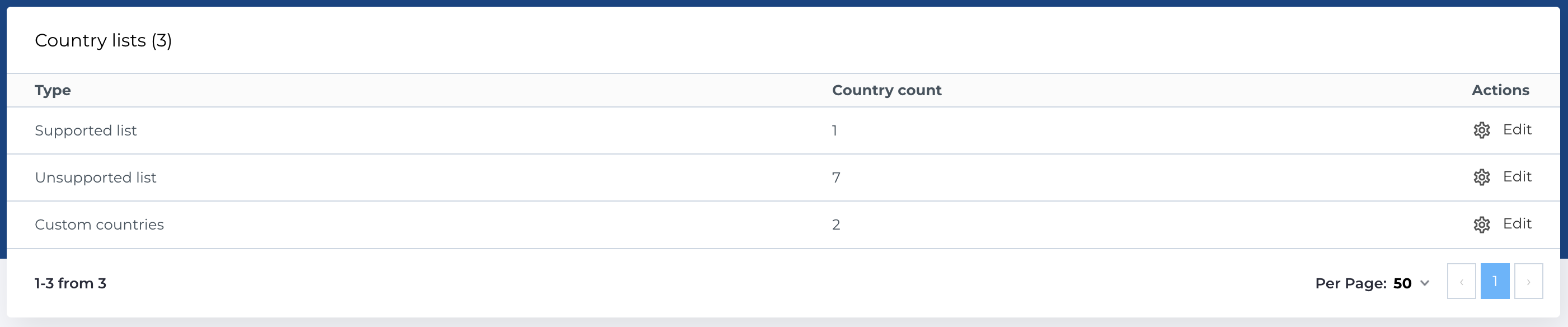
The grouped lists of countries are meant for sorting the countries in groups, which can be used later for configurations on the level of the whole group.
Each group can have a naming as well for easier navigation.
These groups can be used in the Block configuration, where you can limit this block to be displayed or not for a specific group of countries. This functionality will use the geo-location and IP recognition of the user.
Note: You cannot create a new country list, but you can edit existing ones.
Table Columns
- Type: The type of country list.
- Country Count: Number of countries in the list.
- Actions: Manage country list settings.
Available Actions
- Edit Existing Entity: Modify an existing country list.
Edit country list
You can edit existing country lists by selecting countries in a multiselect field.

Signup links
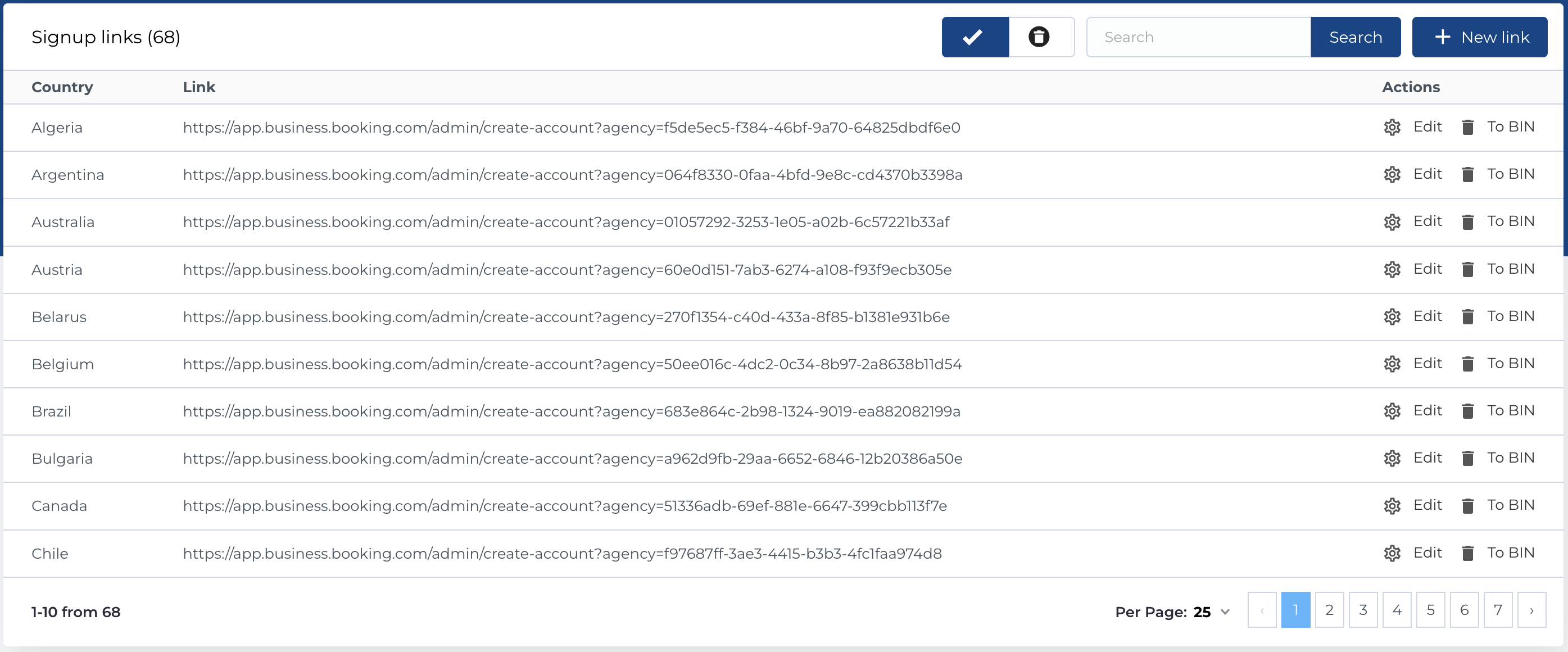
Signup Links allow replacing the default sign-up link (configured in Global Settings) with a country-specific link, based on the user’s IP or geo-location.
Table Columns
- Country: The country for which the sign-up link is configured.
- Link: The custom sign-up link.
- Actions: Manage signup link settings.
Available Actions
- Active / Bin Switcher: Move a link to the bin or restore it, with the option to permanently delete.
- Search: Search by country or link.
- Create New Entity: Add a new sign-up link.
- Edit Existing Entity: Modify an existing sign-up link.
- Move to Bin: Temporarily remove a link.
- Restore Entity: Reinstate a link from the bin.
- Delete Entity: Permanently delete a link (only available in the bin section).
Create new signup link
The form for creating a new sign-up link contains the following fields:
- Country: Select the country from a dropdown.
- Link: Enter the custom sign-up link.
Required Fields
- Country
- Link
The edit form has the same structure.
