Technical introduction
Dashboard
Languages & Translations
Pages
Blocks
Menus
Content
Libraries sections
MemSource Integration
Log actions
Configurations
Form requests
Form contact
AB service
Travel Policy Builder
Mouseflow
Lang Redirects
Intro
This section in admin panel consists of language redirects list, that used in our geo-location services that we have integrated to the website by user locale or country code.
When system detects user locale and if this locale exists in this redirects list (field Lang) - user will be redirected to Redirect URL. Redirect URL can be relative path.
Lang Redirects list
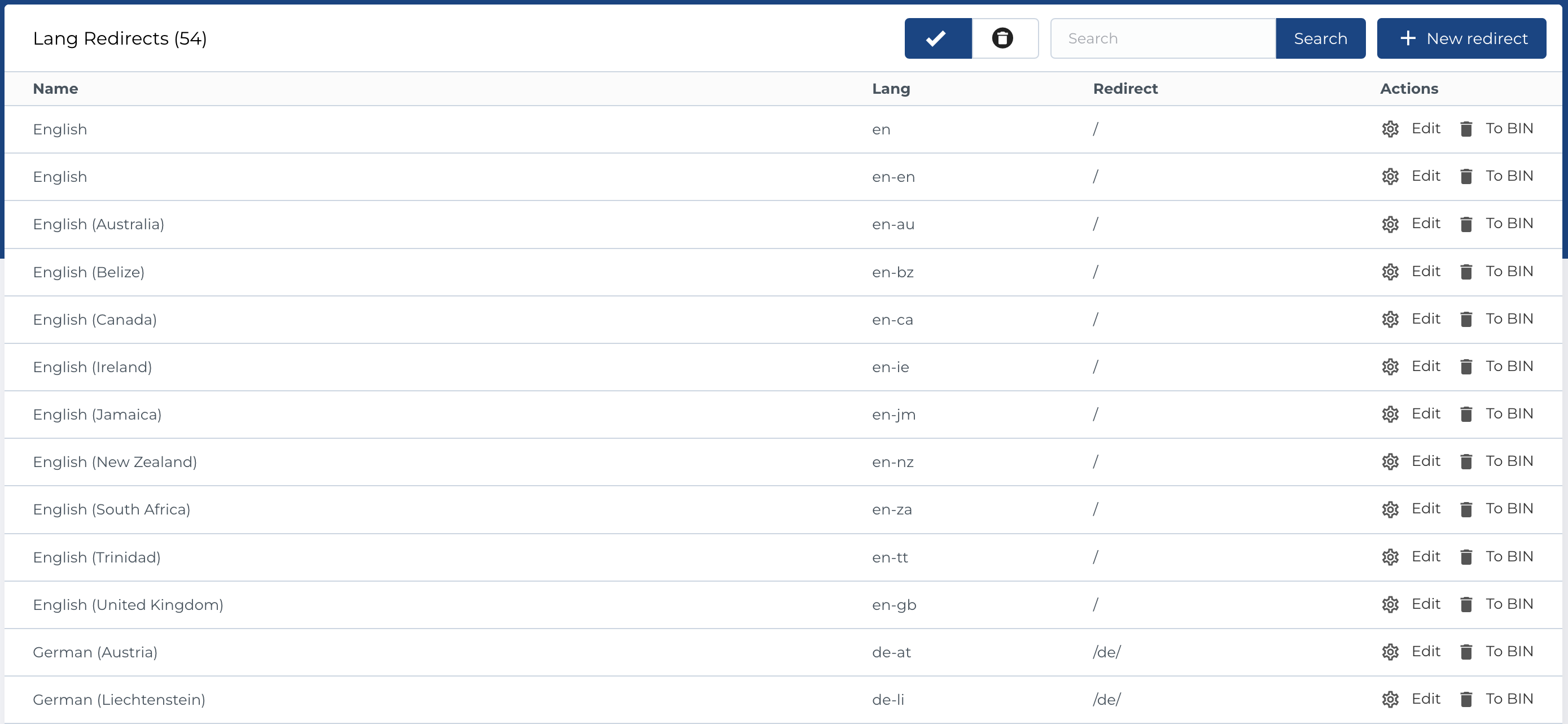
The table contains a list of lang redirect entries with the following columns:
-
Name: The name of the redirect, like
English (Canada). -
Lang: The language code associated with the redirect (e.g.,
en,fr,de). - Redirect: The URL to which the user will be redirected based on the language selection.
- Actions: Management buttons for each entry.
Available Actions:
- Active / Bin Switcher: Temporarily move the entry to the bin for deletion, with options to either restore or permanently delete it.
- Search (By Name, Lang): Filter entries based on their name or language code.
- Create New Entity: Add a new lang redirect entry.
- Edit Existing Entity: Modify an existing lang redirect.
- Move to Bin: Temporarily remove the lang redirect by moving it to the bin.
- Restore Entity: Bring a previously binned lang redirect back to the active list.
- Delete Entity: Permanently remove a lang redirect from the system.
Create new lang redirect
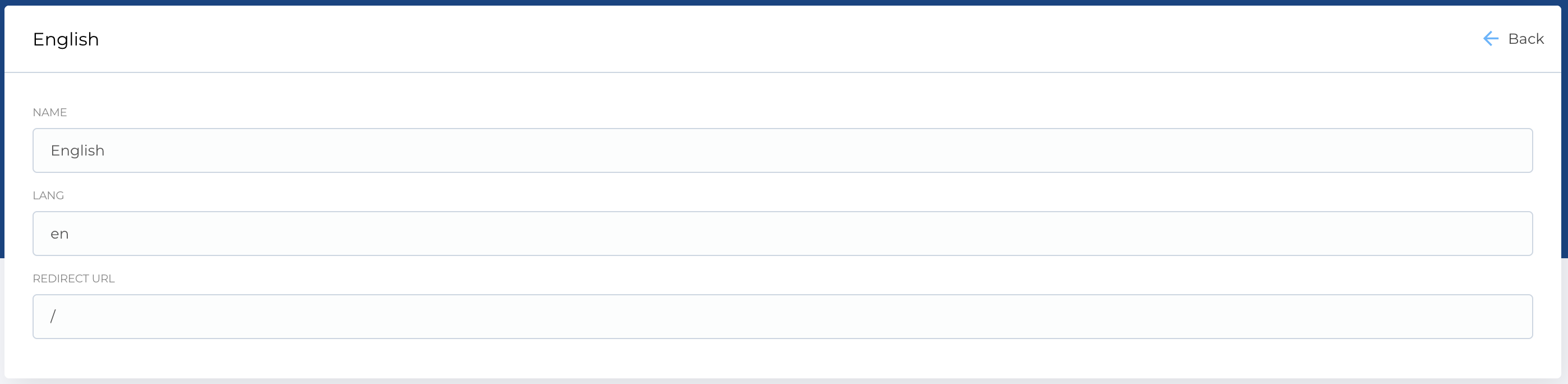
The form to create a new lang redirect contains the following fields:
- Name: A descriptive label for the redirect.
-
Lang: The language code for this redirect (e.g.,
en,fr,es). - Redirect URL: The destination URL where users will be redirected based on the selected language.
Required Fields:
- Name
- Lang
- Redirect URL
The edit form follows the same structure as the creation form.