
Product updates
- Intro #1
- Product updates list #2
- Create new product update #3
- Send product update to MemSource #4
- Product update type list #5
- Send all product update types to MemSource #6
- Create new product update type #7
Intro
This section in admin panel consists of product updates list and product update types list.
Product updates used in some blocks (like Block product updates and Block product updates v2) - also you can select product update type and entities will be filtered by type.
Product updates list
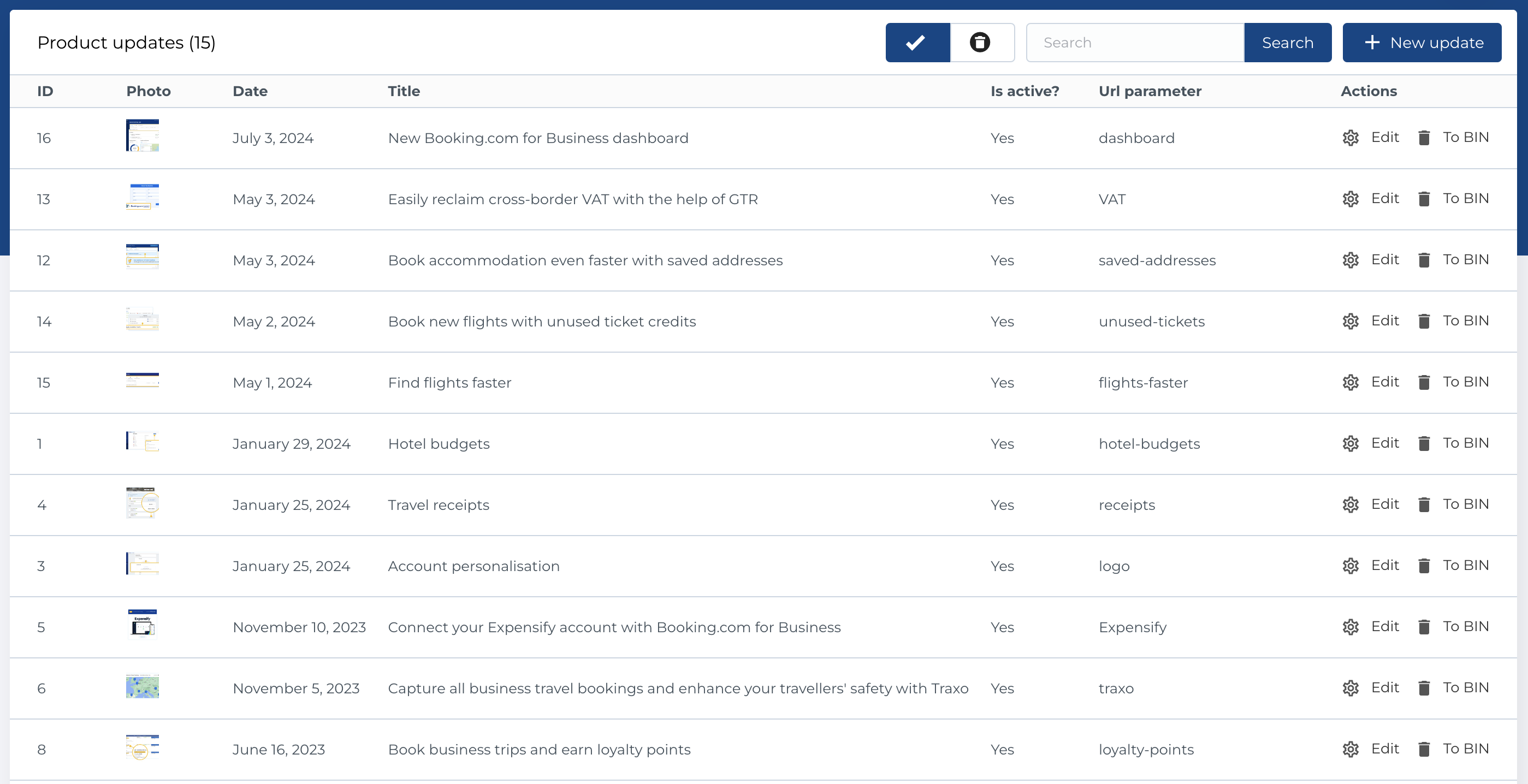
This section contains a list of product updates, presented with the following columns:
- ID: Unique identifier for each product update.
- Photo: Image associated with the product update.
- Date: Date of the product update.
- Title: The title of the product update.
- Is Active?: Indicates whether the product update is active.
- URL Parameter: URL slug or identifier for the product update.
- Actions: Manage product updates.
Available Actions
- Active / Bin Switcher: Move an entity to the bin, restore it, or permanently delete it.
- Search: Search by Title or Description.
- Create New Entity: Add a new product update.
- Edit Existing Entity: Modify an existing product update.
- Move to Bin: Temporarily remove a product update.
- Restore Entity: Reinstate a product update from the bin.
- Delete Entity: Permanently delete a product update (only available in the bin section).
Create new product update
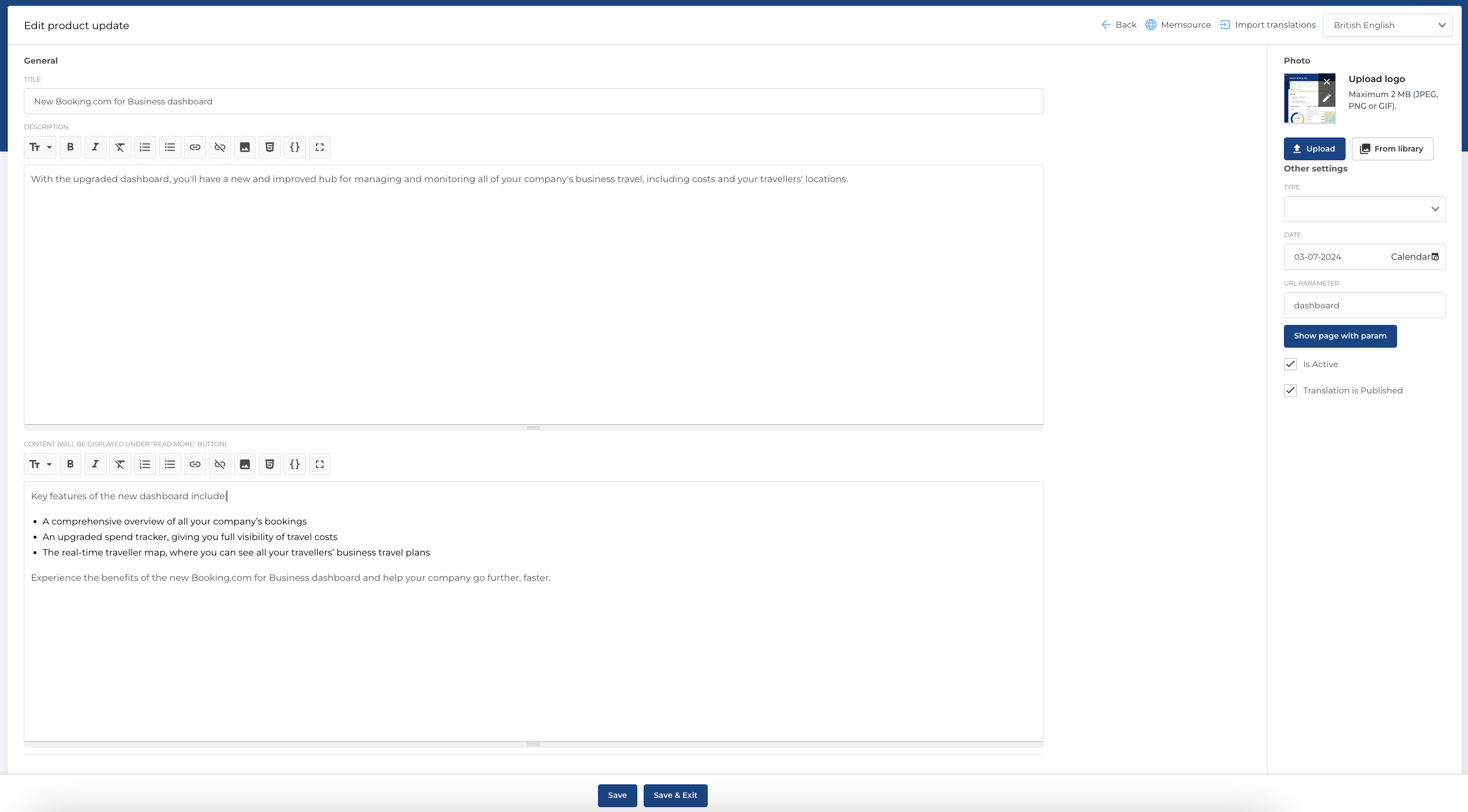
The form for creating a new product update includes the following fields:
- Title: The title of the product update.
- Description: A Markdown-enabled field for the description.
- Content: A Markdown-enabled field for the main content.
- Extra Blocks: Additional blocks (such as a link) that can be added to the product update.
- Photo: An image picker for selecting a photo.
- Date: A date picker to specify the date of the update.
- URL Parameter: The URL slug for the product update.
- Is Active?: Checkbox to mark whether the product update is active.
- Translation is Published?: Checkbox to indicate whether the translation is published.
Required Fields
- Title
- Description
- Date
The edit form follows the same structure. Also you can Import translations with button in the top.
Send product update to MemSource
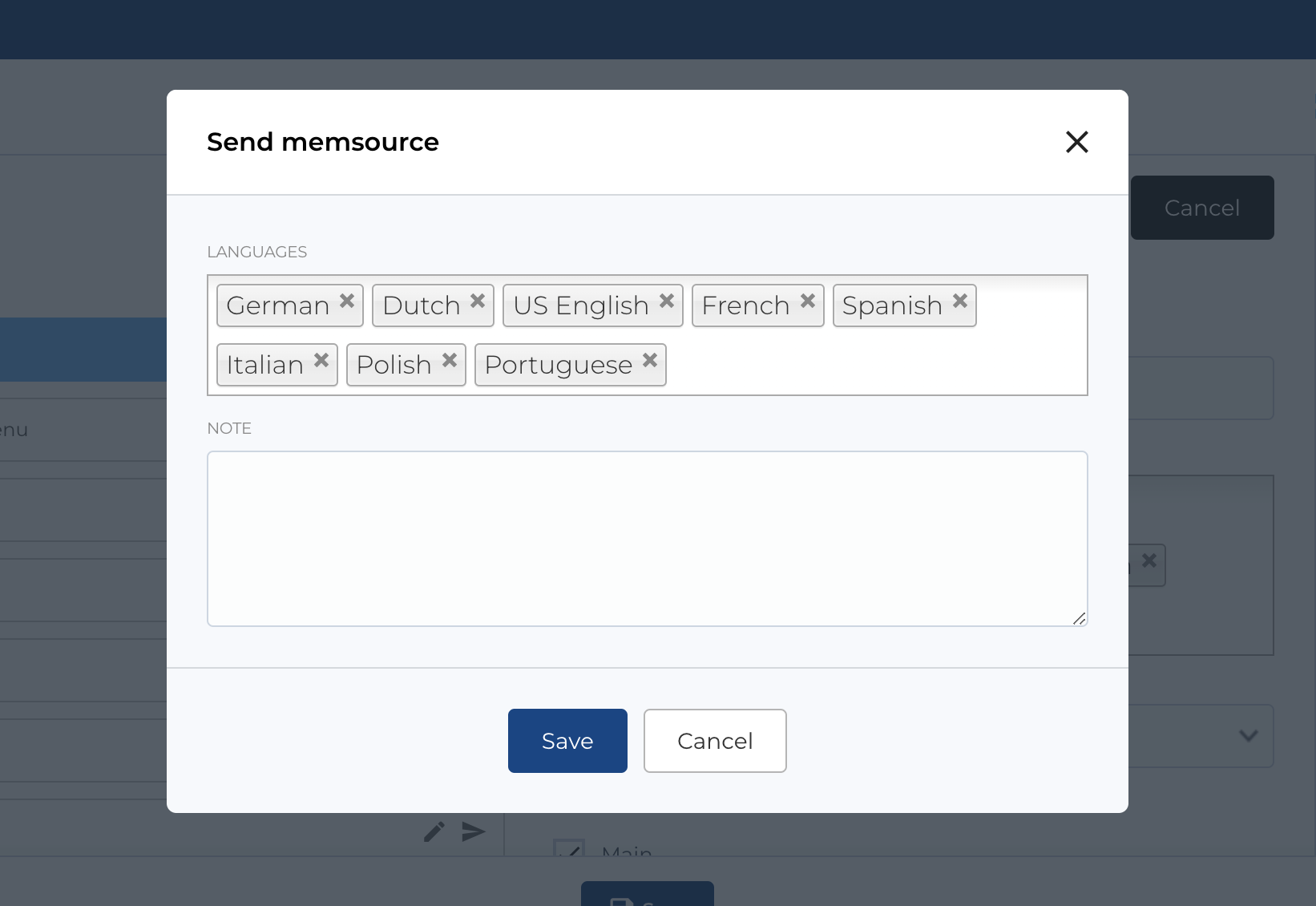
Once a product update is created, a MemSource button becomes available on the edit page. Clicking this button opens a modal with configuration options. You can specify the translation languages and add a comment in the Note field, which will be sent to MemSource.
Product update type list
This section contains a list of product update types, with the following columns:
- ID: Unique identifier for each product update type.
- Title: The title of the product update type.
- Actions: Manage product update types.
Available Actions
- Active / Bin Switcher: Move an entity to the bin, restore it, or permanently delete it.
- Search: Search by Title.
- Send to MemSource: As described in the following section.
- Create New Entity: Add a new product update type.
- Edit Existing Entity: Modify an existing product update type.
- Move to Bin: Temporarily remove a product update type.
- Restore Entity: Reinstate a product update type from the bin.
- Delete Entity: Permanently delete a product update type (only available in the bin section).

Send all product update types to MemSource
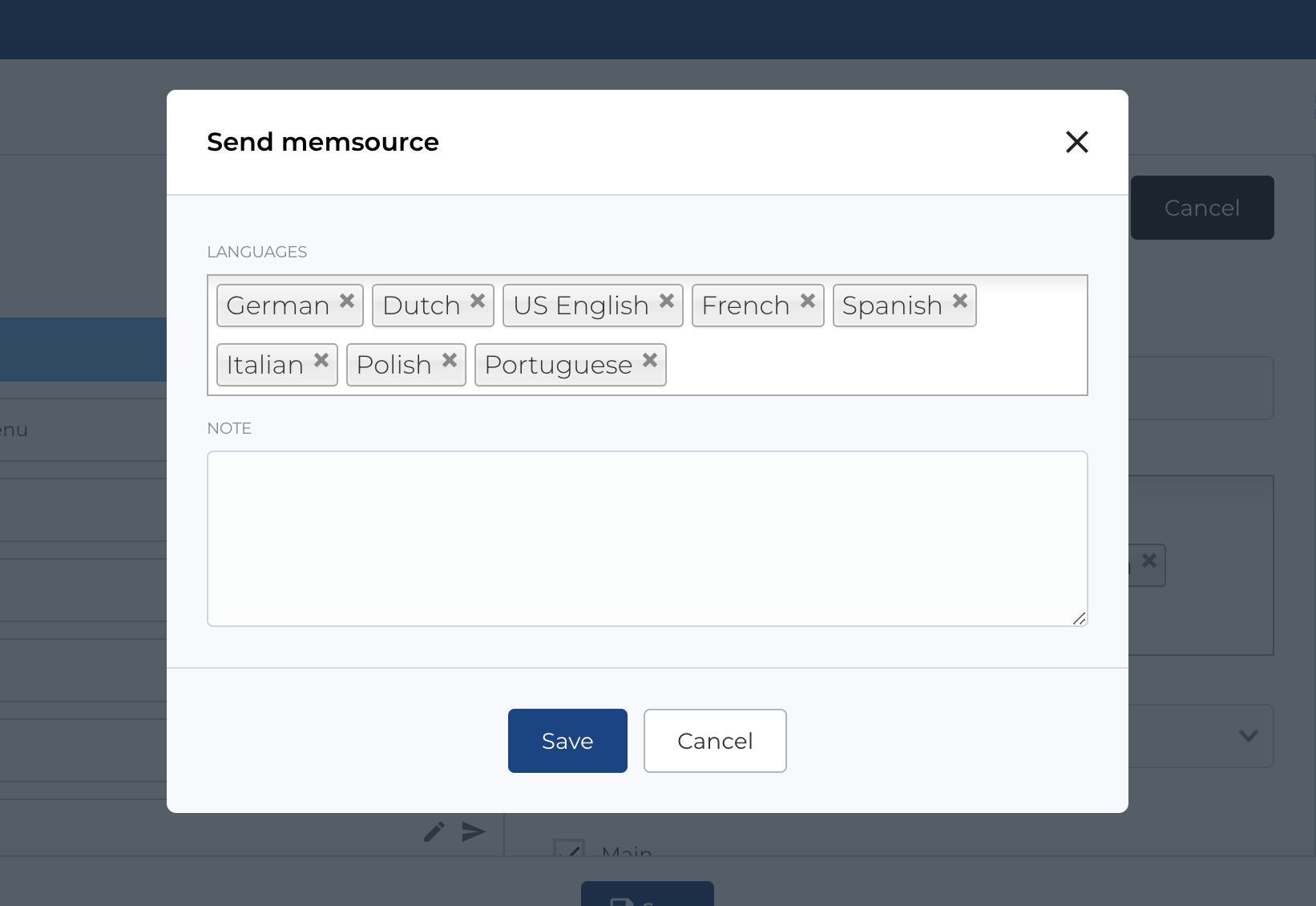
On the Product Update Types page, a Send to MemSource button is available at the top. Clicking the button opens a modal with configuration options. You can specify translation languages and add comments in the Note field, which will be sent to MemSource.
Create new product update type
The form for creating a new product update type includes the following fields:
- Title: The title of the product update type.
Required Fields
- Title
The edit form follows the same structure.
