Technical introduction
Dashboard
Languages & Translations
Pages
Blocks
Menus
Content
Libraries sections
MemSource Integration
Log actions
Configurations
Form requests
Form contact
AB service
Travel Policy Builder
Mouseflow
Testimonial
- Intro #1
- Testimonial list #2
- Create new testimonial #3
- Testimonial category list #4
- Create new testimonial category #5
Intro
This section of the admin panel consists of a Testimonials and a Testimonial Categories. Testimonial categories are used in certain blocks, where a category can be selected, and all testimonials within that category will be displayed in the block.
Testimonial list
This section contains a list of testimonials with the following columns:
- ID: Unique identifier for each testimonial.
- Name: The name of the person providing the testimonial.
- Function: The person's job role.
- Company: The company the person is associated with.
- Location: Geographical location of the person or company.
- Stars: Rating given by the person (e.g., 5 stars).
- Order: The display order of testimonials.
- Actions: Manage testimonial records.
Available Actions
- Active / Bin Switcher: Move a testimonial to the bin, restore it, or permanently delete it.
- Search: Search by Name, Function, Company, or Location.
- Create New Entity: Add a new testimonial.
- Edit Existing Entity: Modify an existing testimonial.
- Move to Bin: Temporarily remove a testimonial.
- Restore Entity: Reinstate a testimonial from the bin.
- Delete Entity: Permanently delete a testimonial (only available in the bin section).

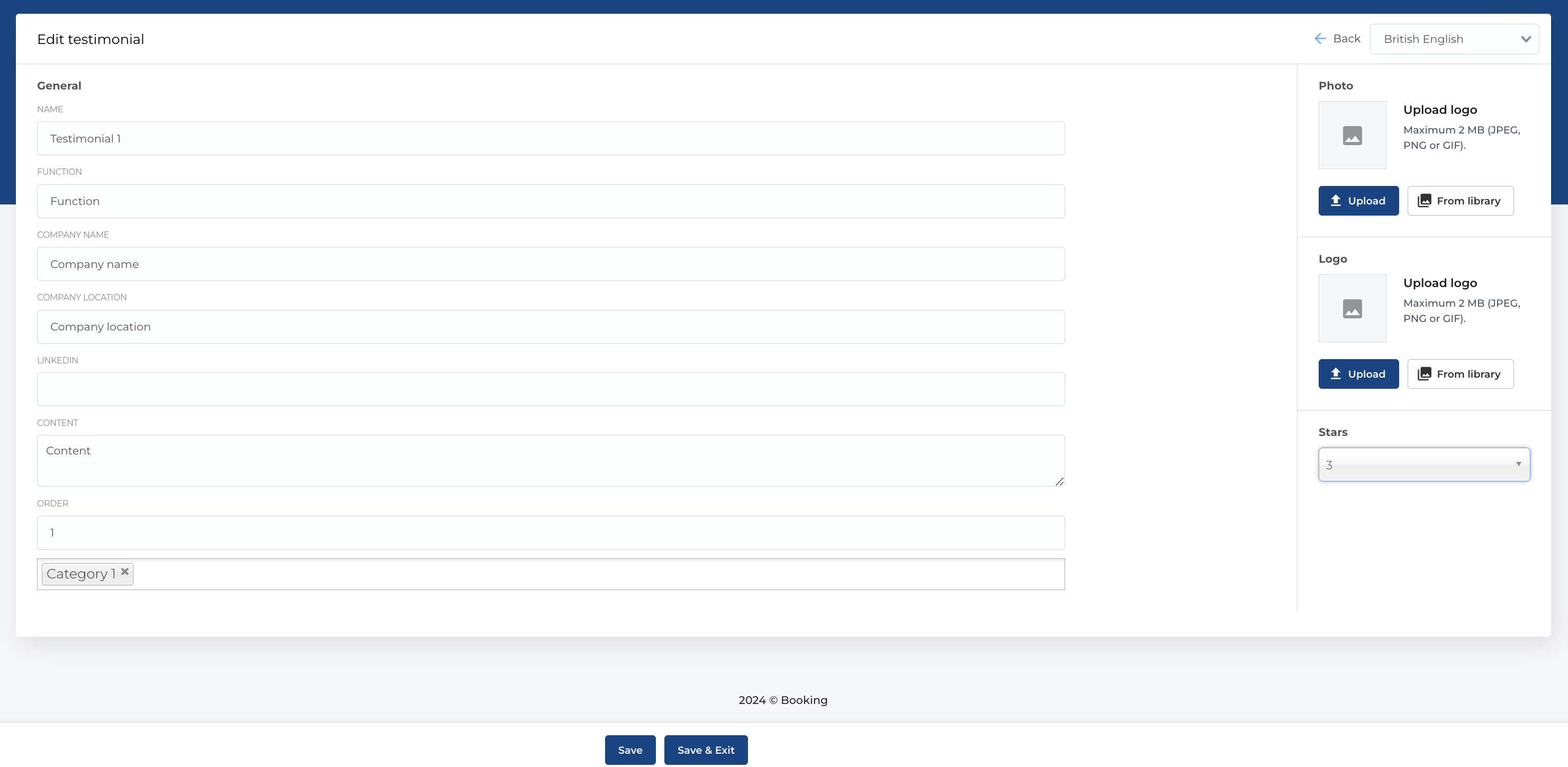
Create new testimonial
The form for creating a new testimonial contains the following fields:
- Name: The name of the individual.
- Function: The role or position held by the individual.
- Company: The company where the individual works.
- Location: The location of the individual or company.
- LinkedIn: A link to the individual's LinkedIn profile.
- Content: The testimonial content.
- Order: Set the display order for the testimonial.
- Categories: Multiple select option for testimonial categories.
- Photo: Image picker for adding a photo.
- Logo: Image picker for adding a company logo.
- Stars: Rating (single select).
Note: There are no required fields in this form.
The edit form follows the same structure.
Testimonial category list
This section contains a list of testimonial categories with the following columns:
- ID: Unique identifier for each category.
- Title: The name of the category.
- Order: The display order of the category.
- Actions: Manage category records.
Available Actions
- Active / Bin Switcher: Move a category to the bin, restore it, or permanently delete it.
- Search: Search by Title.
- Create New Entity: Add a new category.
- Edit Existing Entity: Modify an existing category.
- Move to Bin: Temporarily remove a category.
- Restore Entity: Reinstate a category from the bin.
- Delete Entity: Permanently delete a category (only available in the bin section).

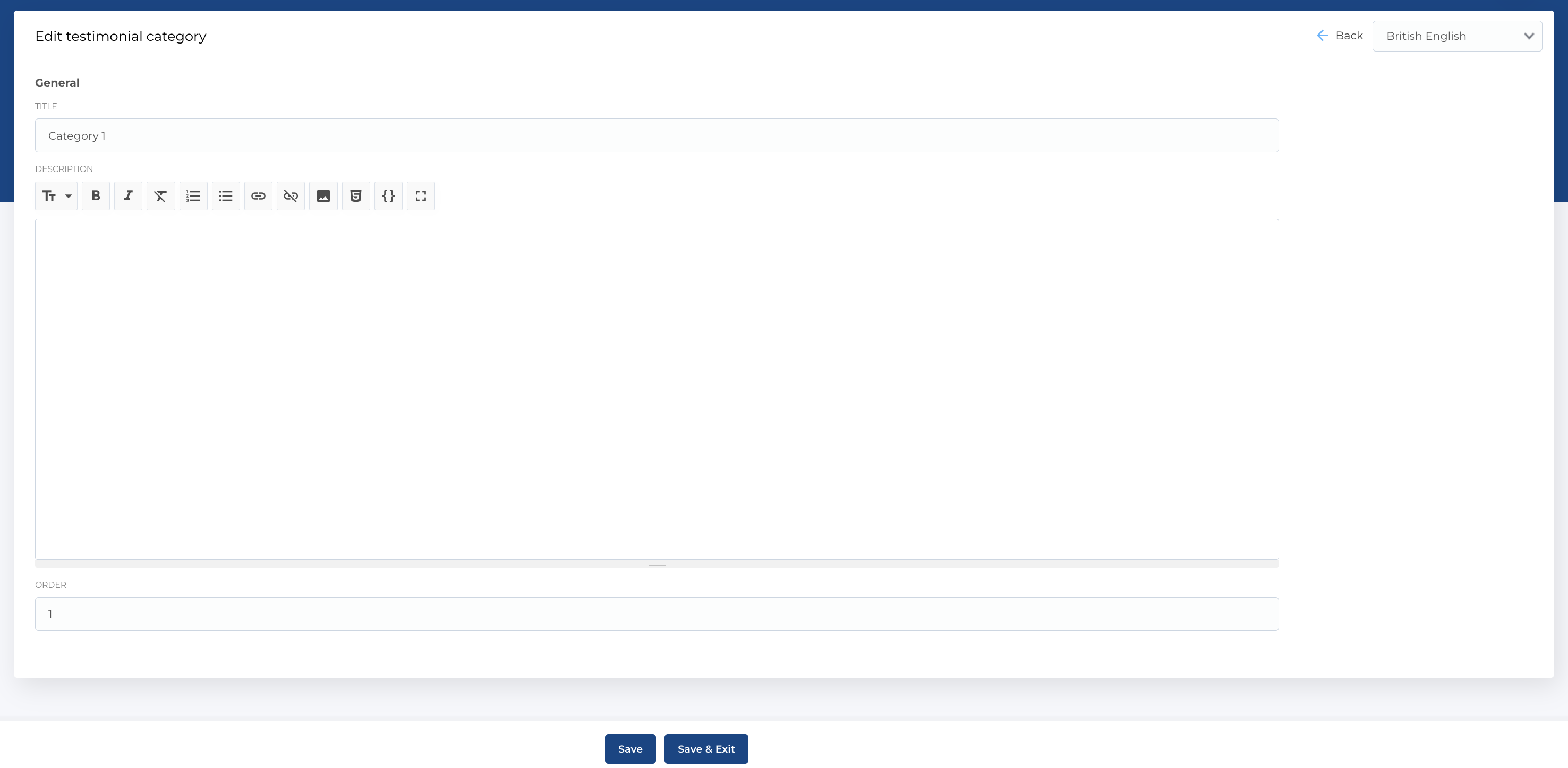
Create new testimonial category
The form for creating a new testimonial category contains the following fields:
- Title: The name of the category.
- Description: A brief description of the category.
- Order: Set the display order of the category.
Required Fields
- Order
The edit form follows the same structure.