Technical introduction
Dashboard
Languages & Translations
Pages
Blocks
Menus
Content
Libraries sections
MemSource Integration
Log actions
Configurations
Form requests
Form contact
AB service
Travel Policy Builder
Mouseflow
Log actions
Intro
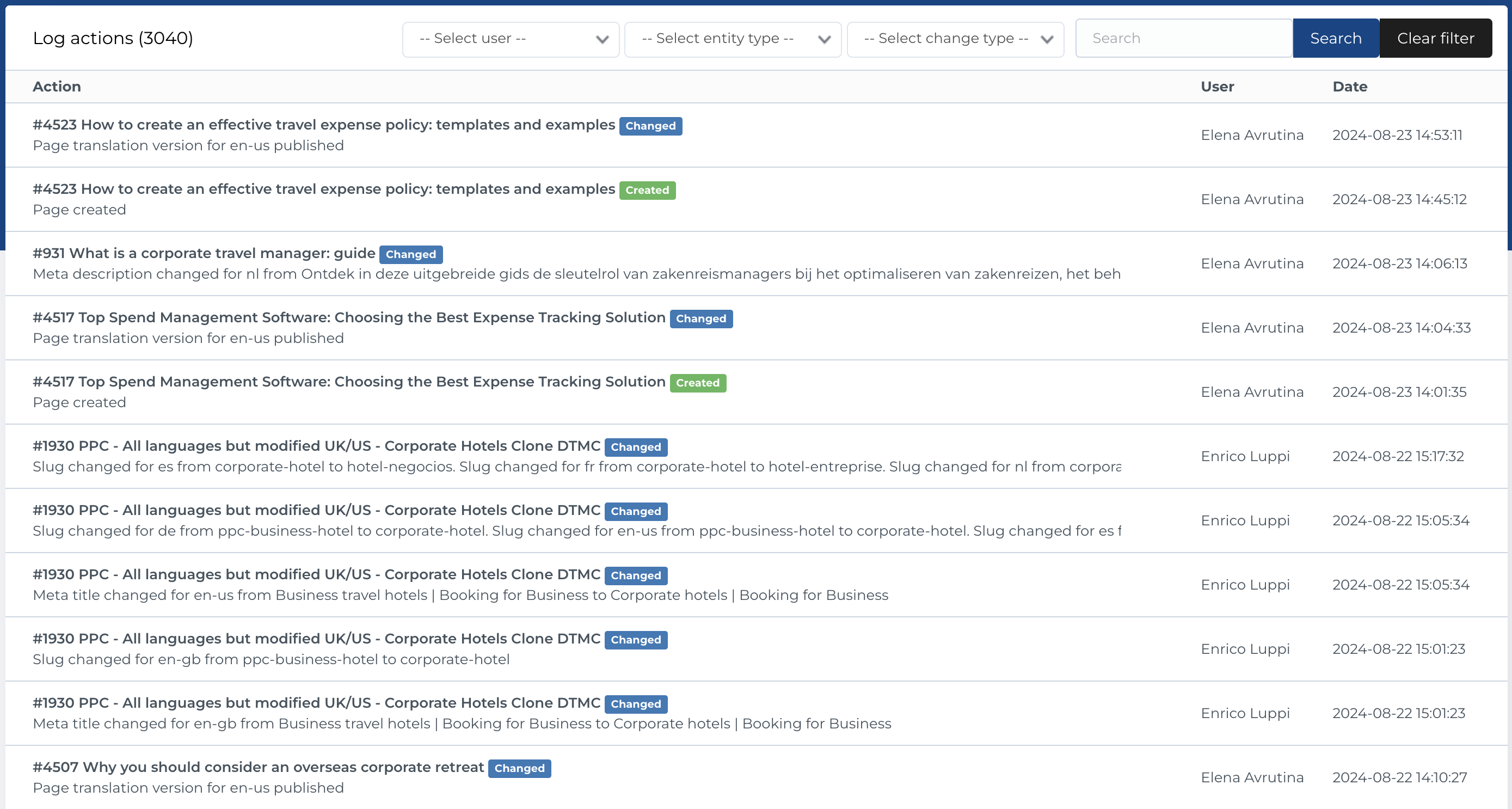
Certain entities in the admin section log actions such as creating, editing, and deleting. This section provides an overview of all logged actions along with the user who performed each action. The available entities and log actions are detailed in the section below.
Log actions list
This section contains a list of logs with the following columns:
- Action: Describes the type of action performed (e.g., Created, Edited).
- User: The user who performed the action.
- Date: The date and time the action occurred.
Available Actions
- Filter by User: A single-select dropdown to filter logs by user.
-
Filter by Entity Type: A single-select dropdown with the following entity types:
- Page
- Menu
- FAQ
- FAQ Category
- File
- User
- Config
- Country
- Country List
- Signup Links
- Translations
-
Filter by Change Type: A single-select dropdown with the following options:
- Created
- Changed
- BIN
- Restored
- Deleted
- Search: Search logs by action title or action log details.