Technical introduction
Dashboard
Languages & Translations
Pages
Blocks
Menus
Content
Libraries sections
MemSource Integration
Log actions
Configurations
Form requests
Form contact
AB service
Travel Policy Builder
Mouseflow
AID numbers
Intro
The AID Numbers section in the admin panel is used for managing and tracking AID numbers for analytics purposes. This section allows admin users to create and manage AID entries, which can be utilized in various tracking scenarios.
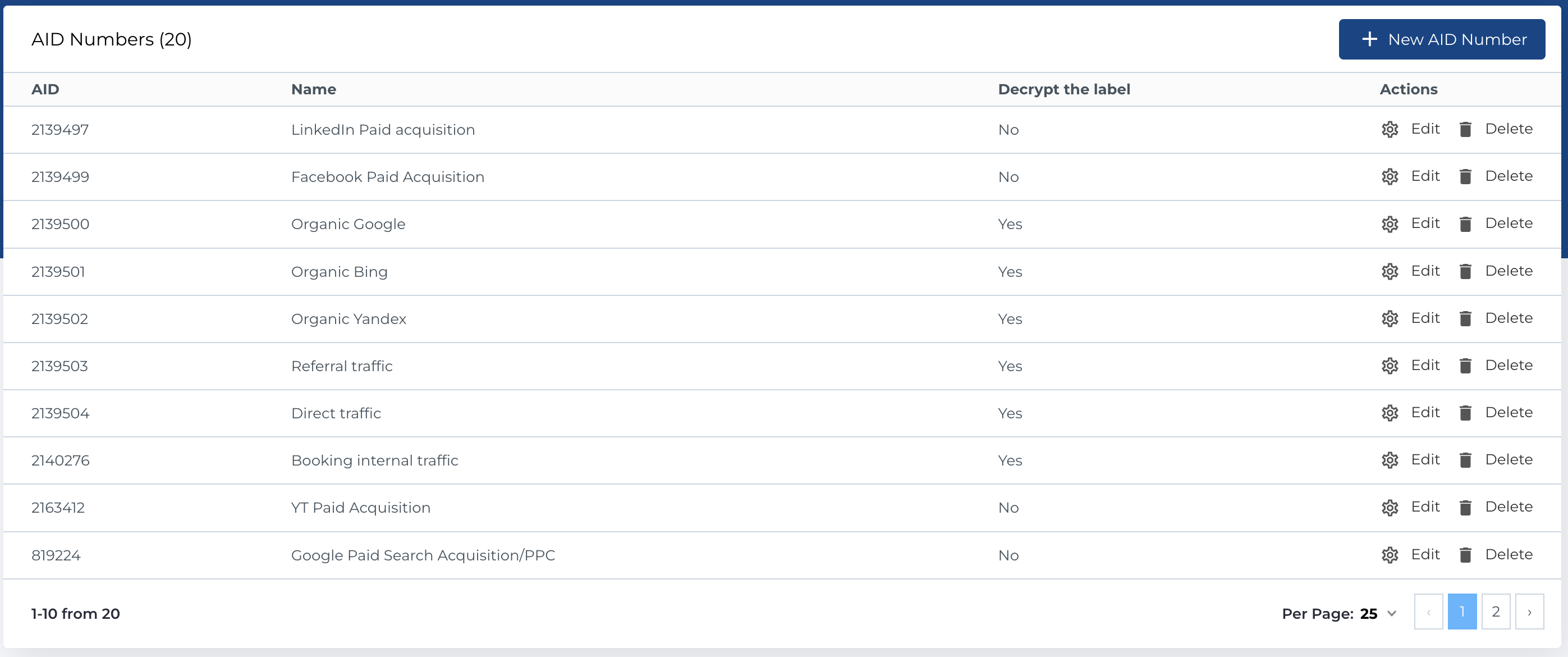
AID numbers list
The table contains the following columns:
- AID: The unique identifier or AID number used for tracking.
- Name: A descriptive name associated with the AID number.
- Decrypt the Label: Indicates whether the label should be decrypted (Yes or No).
- Actions: Available actions for each AID entry.
Available Actions
The following actions can be performed on the AID numbers:
- Create New Entity: Add a new AID number to the list.
- Edit Existing Entity: Modify an existing AID number.
- Delete Entity: Permanently remove an AID number.
Create new AID number
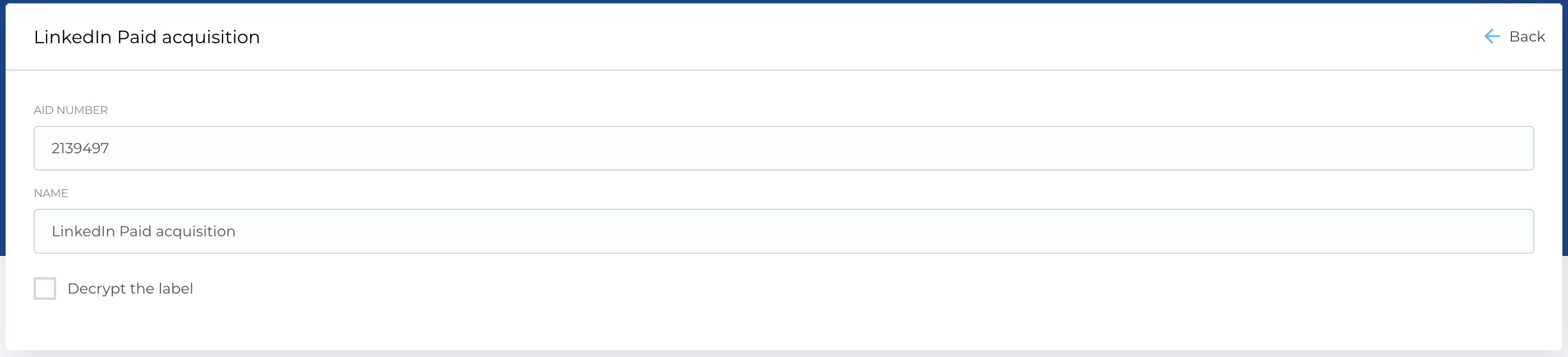
Page, where you can create new AID number has form, which contains the following fields:
- AID Number: A text field to enter the unique AID number for tracking.
- Name: A text field to provide a descriptive name for the AID number.
- Decrypt the Label: A checkbox to determine whether the label should be decrypted.
Required Fields
The following fields are required to create a new AID number:
- AID Number
- Name
The Edit form is identical to the Create New AID form and allows you to modify the details of an existing AID number.