Global blocks
Intro
In this section in admin panel you can find list of global blocks. These blocks used in pages, you can build a page with global blocks and edit them from this list by clicking the Edit link in the table element. All changes to the block will be reflected on the linked pages.
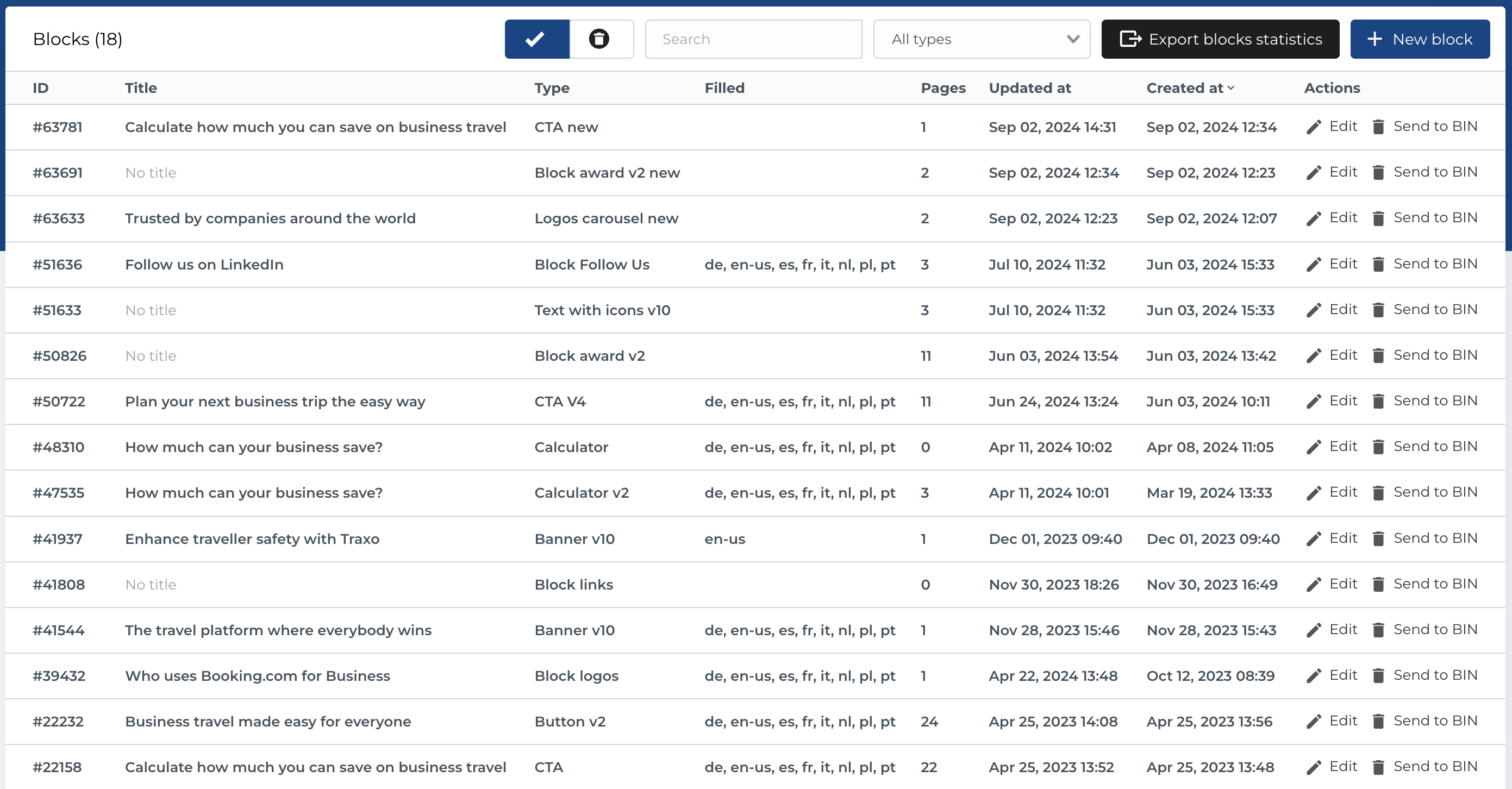
Block list
The section contains list of testimonials and has next columns:
- ID: Unique identifier for each block.
- Title: The title of the block.
-
Type: Block type like
Banner v10,CTA V4, etc. - Filled: List of languages, where block fields is filled.
- Pages: Count of connected pages.
- Updated at: Date when block was updated.
- Created at: Date when block was created.
- Actions: Manage block.
Available Actions
- Active / Bin Switcher: Move an entity to the bin, restore it, or permanently delete it.
- Search: Search by block fields like Title or Description.
- Block type filter: Dropdown filter by block type.
- Export block statistics: Button for exports (described below).
- Create New Entity: Add a new product update type.
- Edit Existing Entity: Modify an existing product update type.
- Move to Bin: Temporarily remove a product update type.
- Restore Entity: Reinstate a product update type from the bin.
- Delete Entity: Permanently delete a product update type (only available in the bin section).
Create new global block
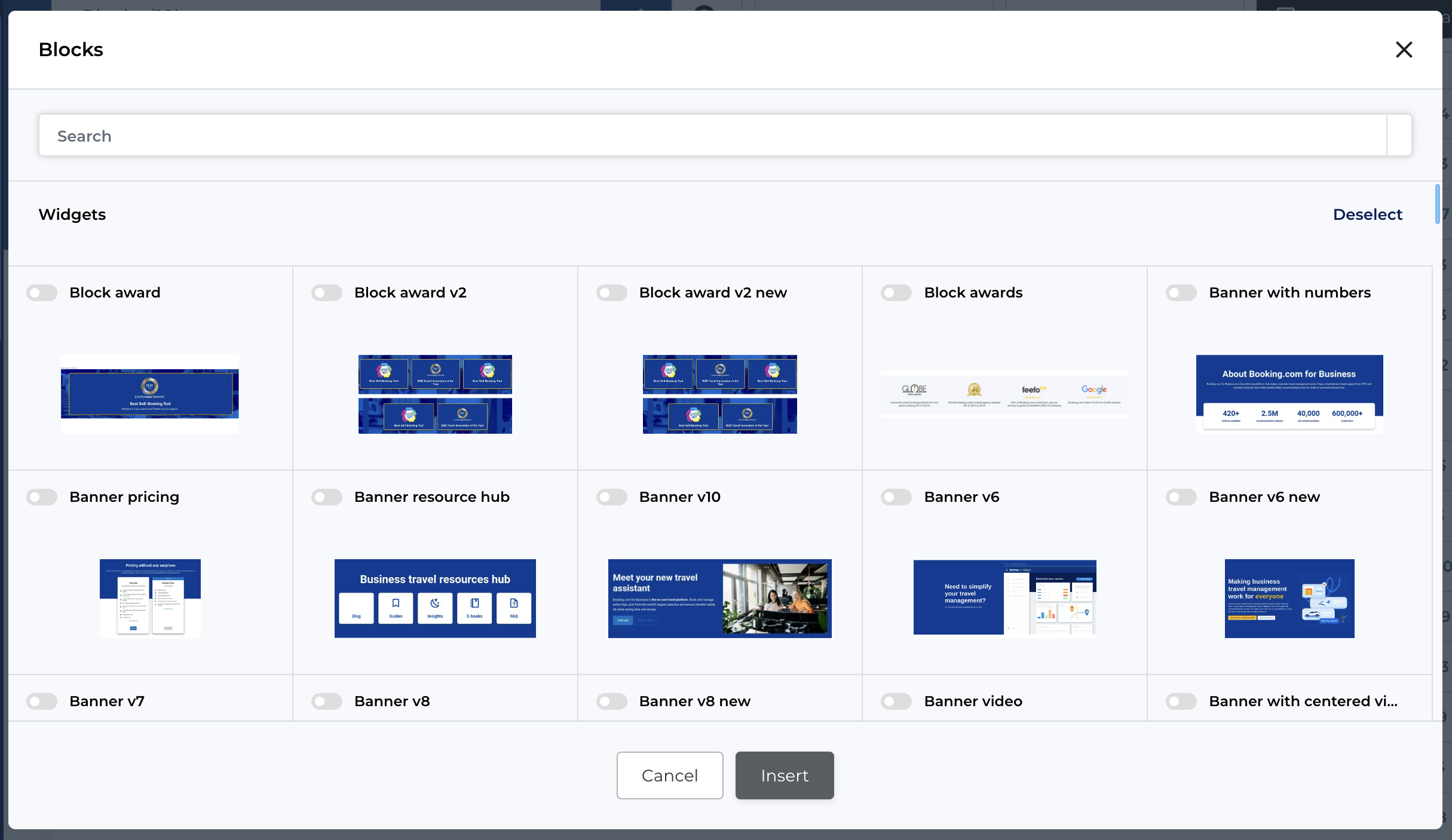
To create new global block you need to click New block button in the list. This will open modal with block selection (same as described for Page block). After you select block and click Insert button in the bottom of the modal - you will be redirected to Block create form.
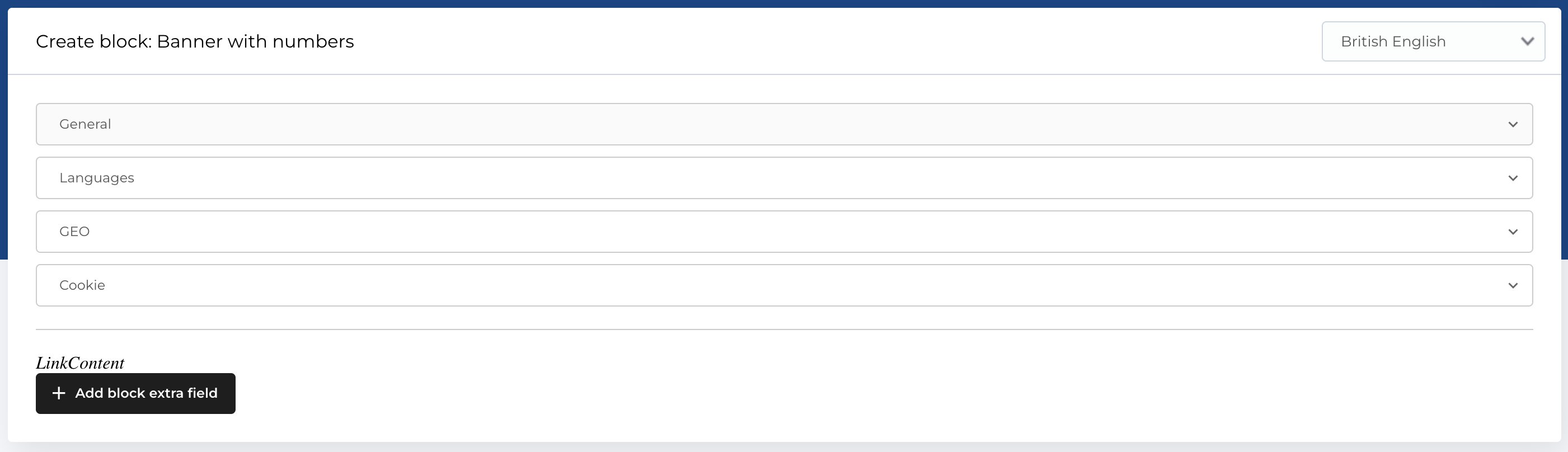
This form has same values, described in section Block composition. After you filled all needed fields, saved changes - you can import this block to any page you want.
Also you can edit any global block by following Edit link in the list of global blocks, edit page is same as create one.
Export block statistics
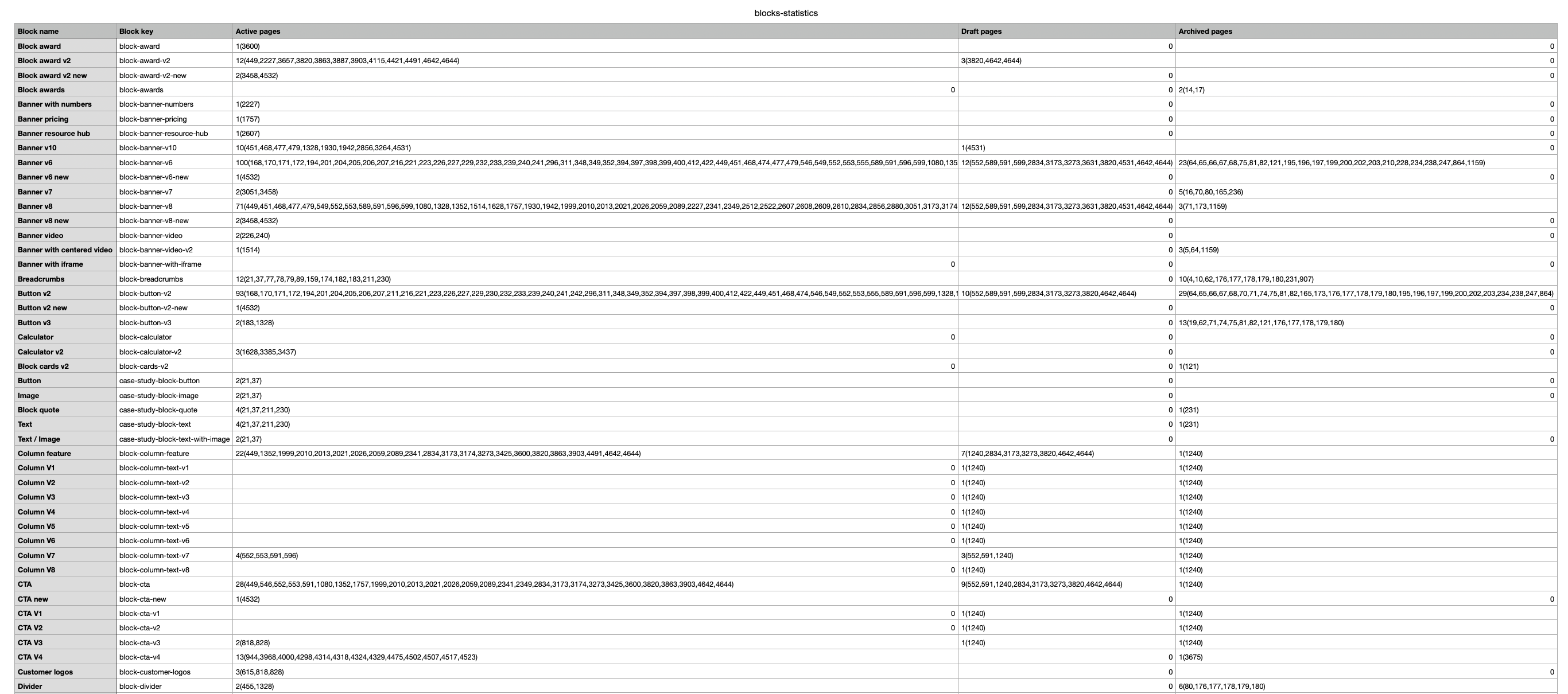
In the list of global blocks, you can download a file with statistics of the use of blocks on pages in .csv format.
In the file there are next columns:
- Block name: Depends on block type.
- Block key: The slug of the block.
- Active pages: Count of connected active pages and page IDs.
- Draft pages: Count of connected draft pages and page IDs.
- Archived pages: Count of connected archived pages and page IDs.