
Page list and actions
Intro
Each page type list has separate menu item in admin panel menu, under Pages menu item. All examples will be based on static pages. These tables has more actions, then other admin sections, more details will be below.
Page list
This section will display all pages of the selected type. Table has next columns:
- ID: Unique identifier for each page.
- Name: Name of the page
- Filled: Indicates which languages is filled for the page.
- State: Page state like active or pending.
- Date: Date when page was updated.
- Actions: Manage page settings.
Available actions in the top:
- Active / Draft / Archived / Bin Switcher: Filter by state or archived / deleted - move a page to the bin, restore it, or permanently delete it.
- Search: Search by page Title.
- Create New Entity: Add a new page.

Actions in the list on page item
On pages we have a few actions available, which will depend on the role allocated to the user logged in.

View page in a new tab
This button allows you to open the page in a new tab to preview how it will look like. If logged in as an admin - you can view also private pages (archived / not published / translations not published), which allows you to preview the changes before publishing
Edit page
Second action is the pencil, which will move you to the editing possibility of the page. Limited as well by the permissions and roles
Cloning a page
Cloning a page is a tool that allows you to copy the page selected and make an exact duplicate of it in any other section. The new created duplicate will have only the default language published. The rest of translations will be unpublished. As well, cloned pages will be set to no-index, so they can not be automatically indexed by search engines.
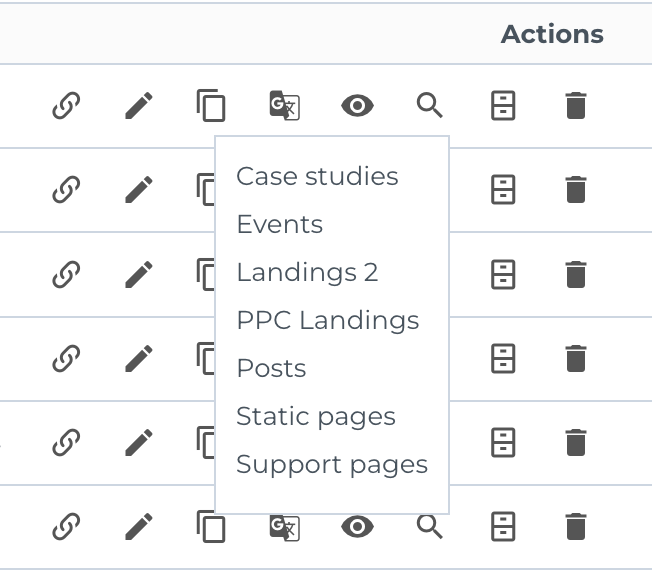
MemSource
MemSource action will send this page content to MemSource for being translated. Translated content submitted by the MemSource team will be automatically updated in the page when ready.
Publish / unpublish
Next icon (eye) will be used for publishing / unpublishing the page completely
Index / no index
A turn on / off possibility of the indexing functionality of the page.
Archive
Archiving a page will move it to a section which disables that page from being available in any selection through the admin panel of the CMS, remove it from being listed and indexed, but still keep the possibility to recover it.
This can be used for temporary pages (page for Euro2020 for example)
Delete
Deleting a page will remove it completely from the CMS and will not allow you to recover it anymore. Critical pages to the system can not be deleted. Only archived (for example the homepage)