Technical introduction
Dashboard
Languages & Translations
Pages
Blocks
Menus
Content
Libraries sections
MemSource Integration
Log actions
Configurations
Form requests
Form contact
AB service
Travel Policy Builder
Mouseflow
Form contact
Intro
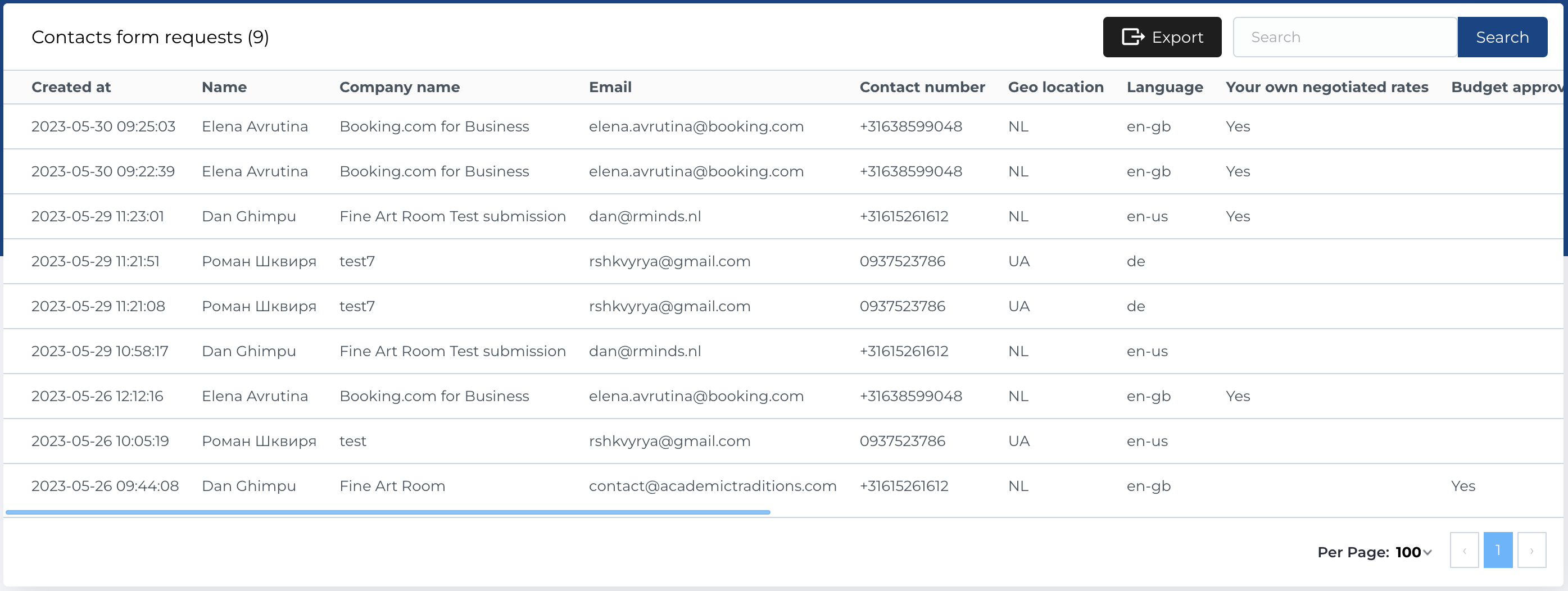
In this section in admin panel you can find list of Contacts form requests - form filling results by user in modal Contact us.
Contacts form requests list
The table includes the following columns:
- Created At: The date and time when the form was submitted.
- Name: The name of the person who submitted the form.
- Company Name: The name of the company associated with the form request.
- Email: The email address of the form submitter.
- Contact Number: The contact phone number provided in the form.
- Geo Location: The geographic location of the user.
- Language: The language selected on the contact form page.
- Feature Item: The feature item selected from the contact form's features list.
Table Actions
The following actions are available for managing the form requests:
- Search: Allows you to search form requests by Name, Company Name, Email, or Contact Number.
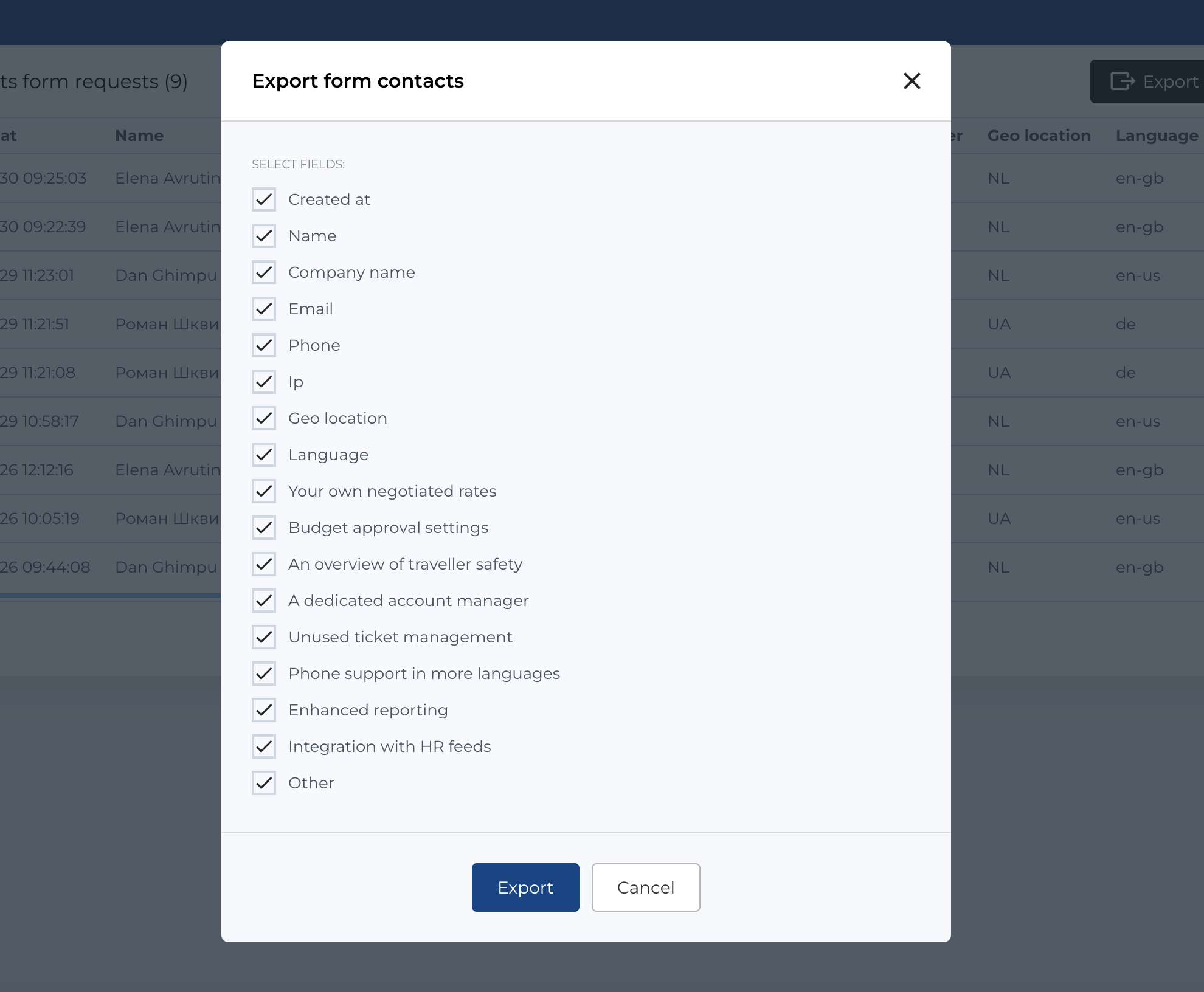
- Export: You can export the list of form requests by clicking the Export button.
Export contacts form requests
To export form contacts:
- Click the Export button.
- A modal will appear where you can select which columns to include in the export.
- The export format is
.csv.