Translations
- Intro #1
- Composition of a translation item #2
- Translations list #3
- Send all translations to MemSource #4
- Create translation #5
Intro
In the left menu on the CMS Admin Panel we have a section which is responsible for all the other text on the website, which is not editable in the block / page itself.
These texts are usually small, global text that are used more than once on the website pages OR they are meant to be used in a specific part of the website which is not editable.
Composition of a translation item
A translation item is composed out of an identification code and a value.
The identification code is formed out of a group and an item:
Example: menu.login with the value Login, which is used for the non-editable Login button in the top menu.
Translations list
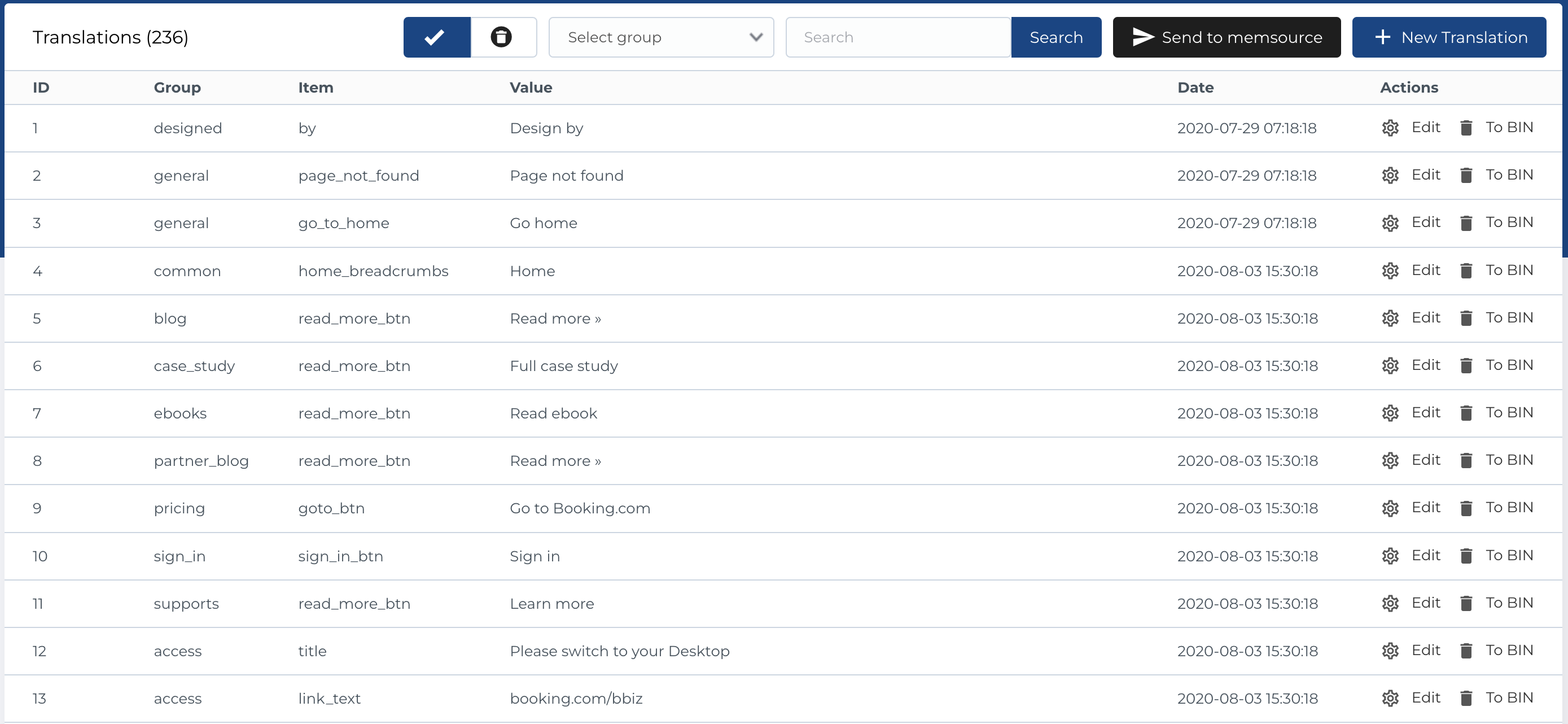
This section displays a list of translations with the following columns:
- ID: Unique identifier for the translation.
- Group: The group to which the translation belongs.
- Item: The specific item being translated.
- Value: The translated content.
- Date: The date the translation was created.
- Actions: Options for managing the translation.
Available Actions
- Active / Bin Switcher: Move the translation to the bin or restore it, with the option to permanently delete.
- Group Dropdown Filter: Filter translations by group.
- Search: Search translations by name.
- Send to MemSource: Button for sending translations to MemSource (explained below).
- Create New Translation: Add a new translation entry.
- Edit Existing Translation: Modify an existing translation.
- Move to Bin: Temporarily remove a translation.
- Restore Translation: Reinstate a translation from the bin.
- Delete Translation: Permanently delete a translation (only available in the bin section).
Send all translations to MemSource
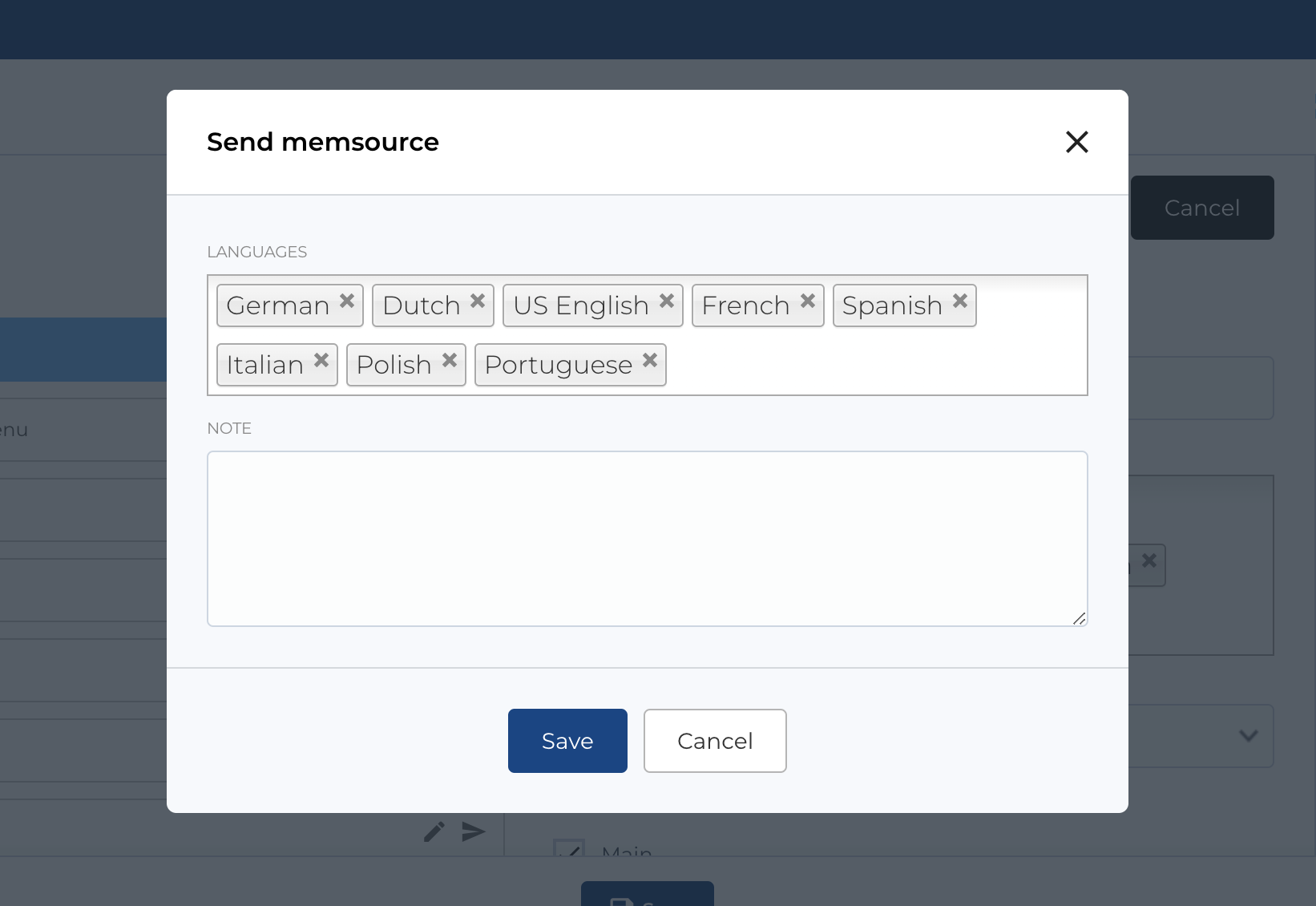
As mentioned in previous section, button Send to MemSource available on the Translations page at the top.
After clicking button, a modal will open and some configurations will be available.
You can specify menu translation languages and add comment in Note fields, whitch will be sent to MemSource.
Create translation
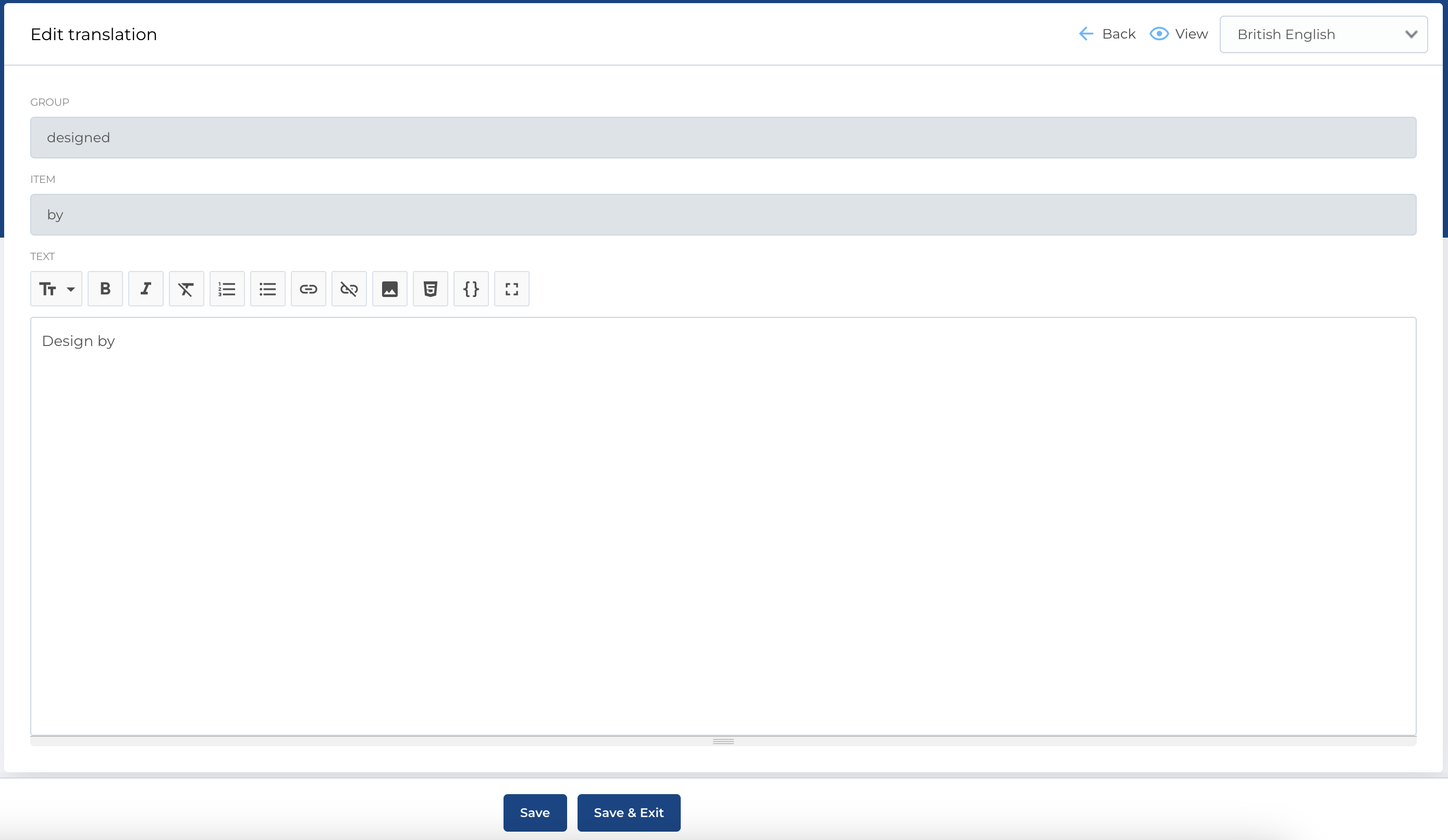
When creating a new translation, all fields are editable. However, when editing an existing translation, the Group and Item fields are not editable, as changing these would prevent the translation from being correctly located. Only the Value field should be updated.
The value is sensitive to language/localization, so you can specify the translation for the desired language by switching the localization in the top-right corner.
Form Fields
- Group: The group the translation belongs to.
- Item: The item being translated.
- Text: The translated text.
Required Fields
- Group
- Item